- For users who are new to FPV drones and are unfamiliar with how to use analog cameras.
- A T12 soldering iron
- A roll of high-quality solder wire
- Any CADDXFPV analog camera
- A flight controller that supports analog video
- An analog VTX
- As HD digital FPV systems have become increasingly popular, some manufacturers have introduced flight controllers designed specifically for digital FPV systems. These flight controllers cannot be used with analog FPV systems.
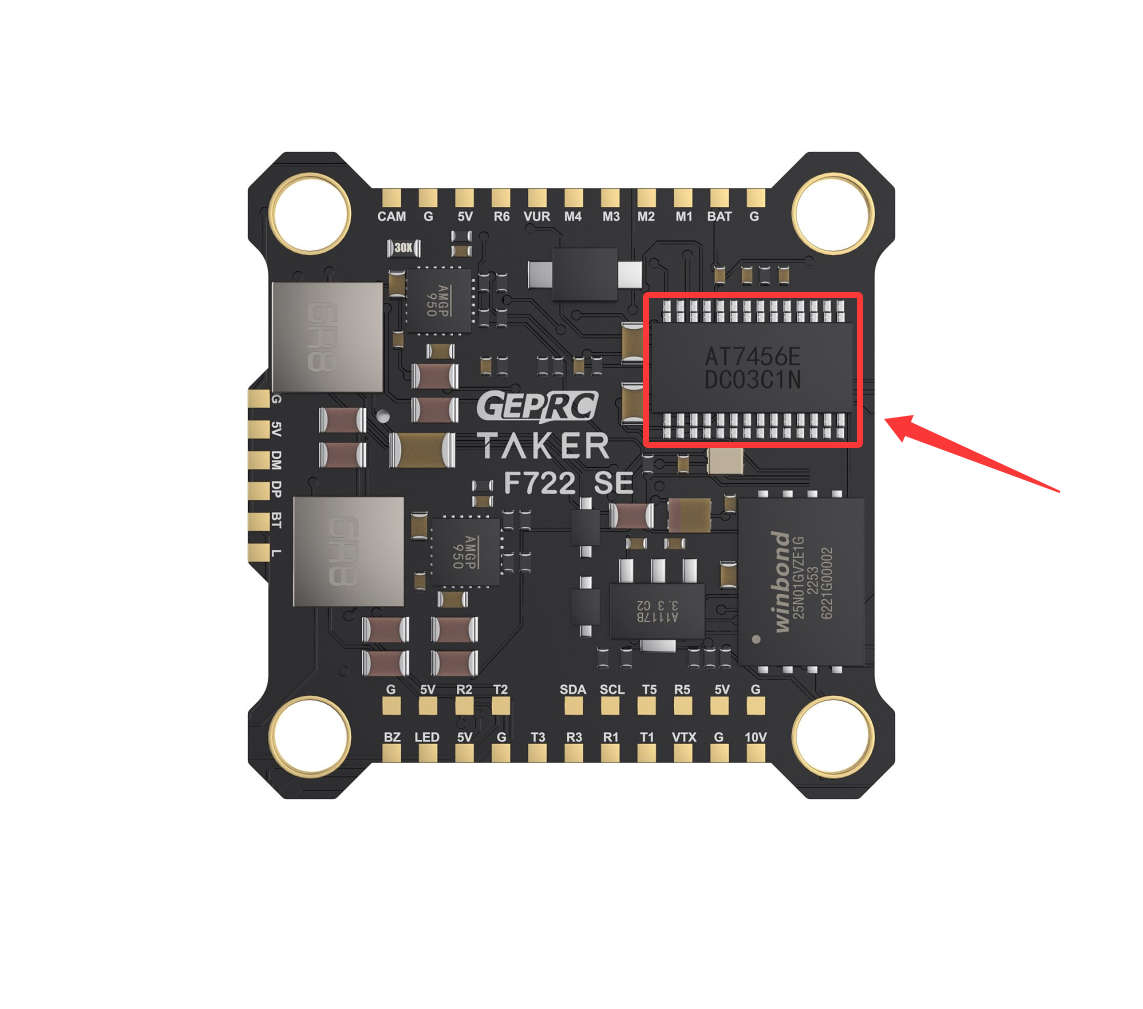
- Choose a flight controller equipped with an
AT7456E video processing chip, or another flight controller that supports analog video processing.
- Do not choose flight controller models with HD at the end of the product name. These models have removed analog video support and are specifically designed for digital FPV systems.
Click here to expand/collapse
- Essentially, removing analog video support is a way to reduce the cost of functions that are no longer commonly used.
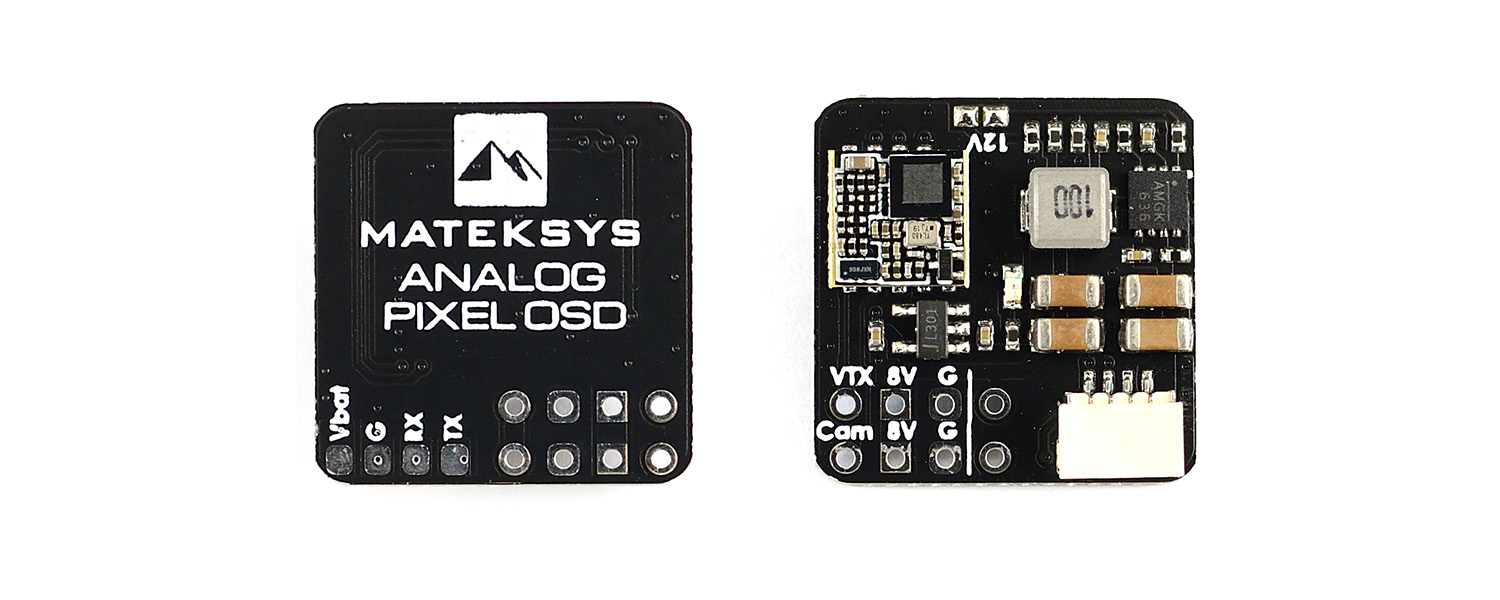
- During the development of FPV systems, high-end analog OSD processing chips such as the
Pixel OSD Module were also introduced, but these products have since been discontinued.
- If you are interested, you can learn more here: Analog Pixel OSD Module
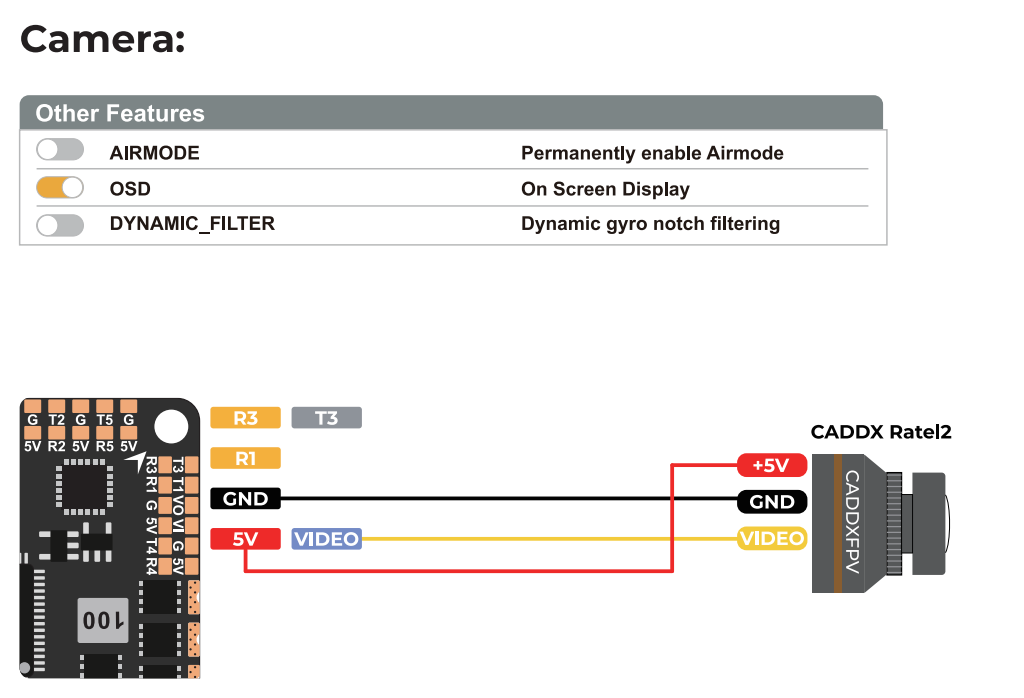
- Two common wiring methods are shown below.
- Different manufacturers may use different labels for the camera video input, such as
CAM or VI (Video In). These labels refer to the same function.
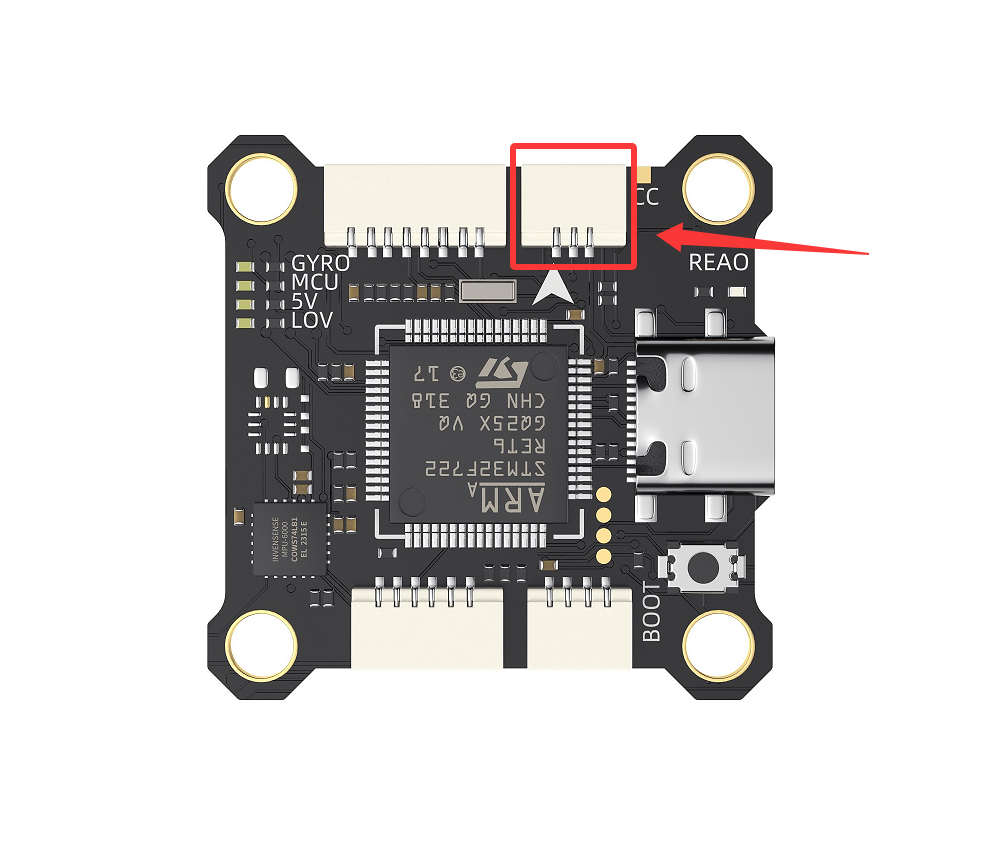
- This method is more beginner-friendly. The flight controller is equipped with multiple connectors, allowing devices to be plugged in directly without soldering.
- However, this method requires the flight controller manufacturer to provide the appropriate adapter cable, or the user must make one.
- Most analog FPV cameras on the market use a
JST MX 1.25 3-pin connector, which is different from the JST SH 1.0 3-pin connector commonly used on flight controllers.
- Most analog cameras support a wide input voltage range, but you should still check the supported voltage range of the product. An incorrect supply voltage may damage the camera or prevent it from operating properly.