¶ When to Use this Guide
- Use this feature when you need to livestream or share the video feed with viewers. It allows video output via USB.
¶ What You Need
- A computer
- An Android phone that supports OTG
- A VRX module that supports UVC, such as the Ascent VRX Pro
- A USB-A to USB-C data cable
- A full-featured USB-C to USB-C data cable
¶ Procedure
¶ Enable UVC
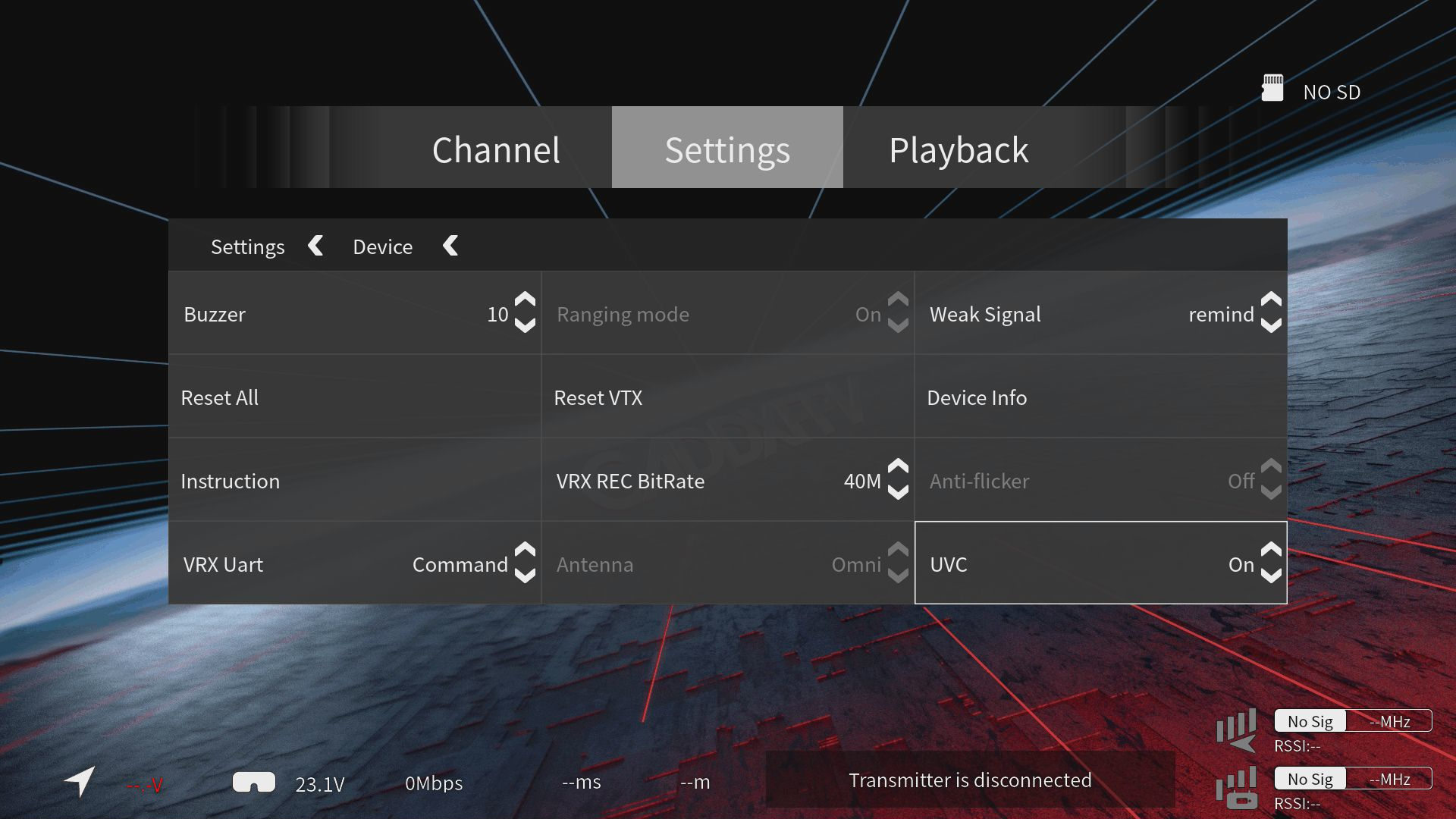
- This feature is disabled by default. Connect the VRX Pro to a display via HDMI first, then enable UVC.
¶ Computer
¶ Step 1: Connect the Cable
- A USB-A to USB-C data cable is recommended instead of a USB-C to USB-C cable.
- Make sure the VRX module has a sufficient power supply. For extended operation, a 12 V, 2 A power adapter is recommended. The power connector is DC5521.
¶ Step 2: Select Software
- Many applications support UVC video devices.
PotPlayerandOBSare used as examples below.
¶ PotPlayer
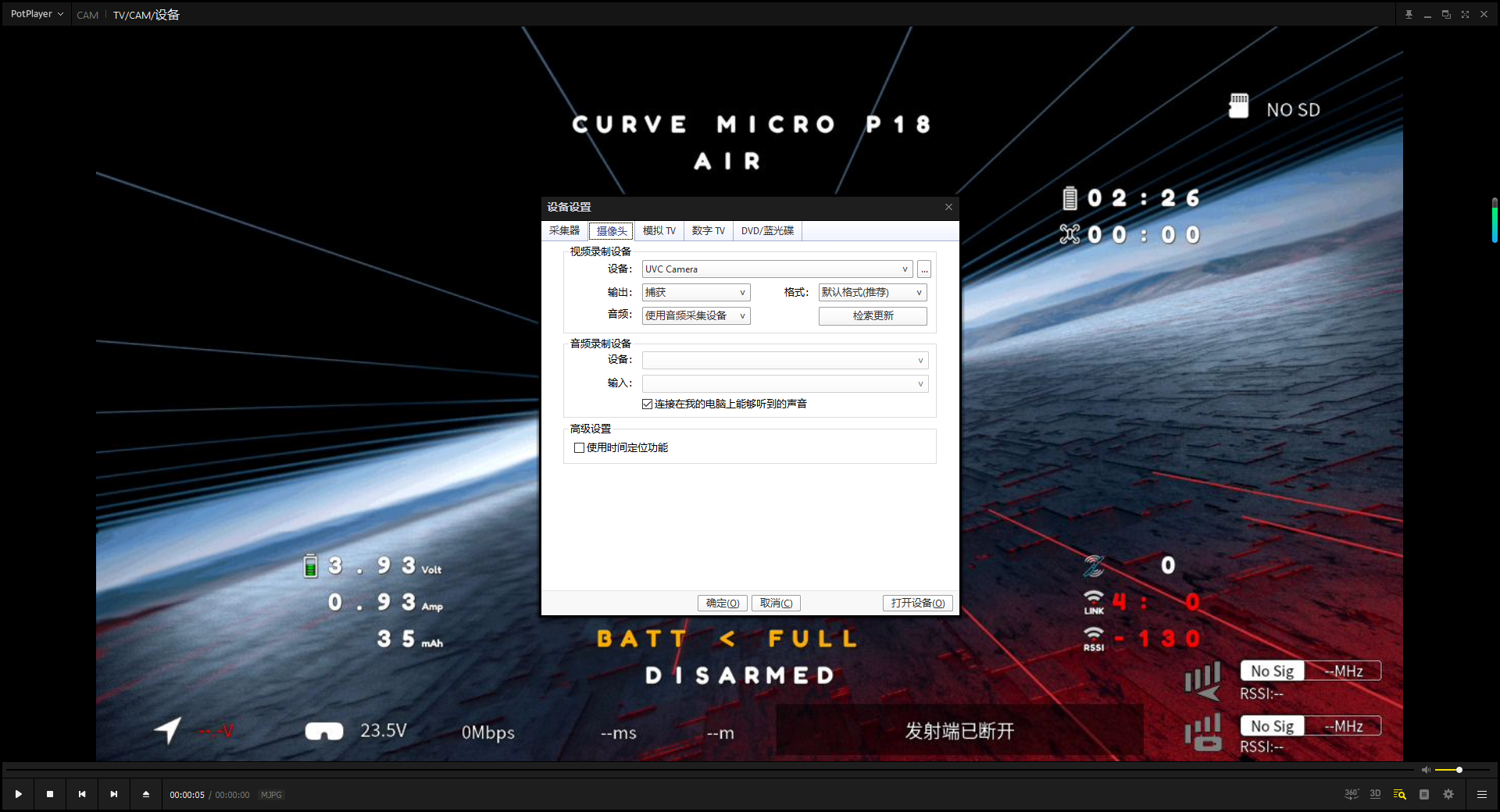
- Press
Alt+Dto open the device menu, selectUVC Camera, andopen the device. The video feed should then be displayed normally.
¶ OBS
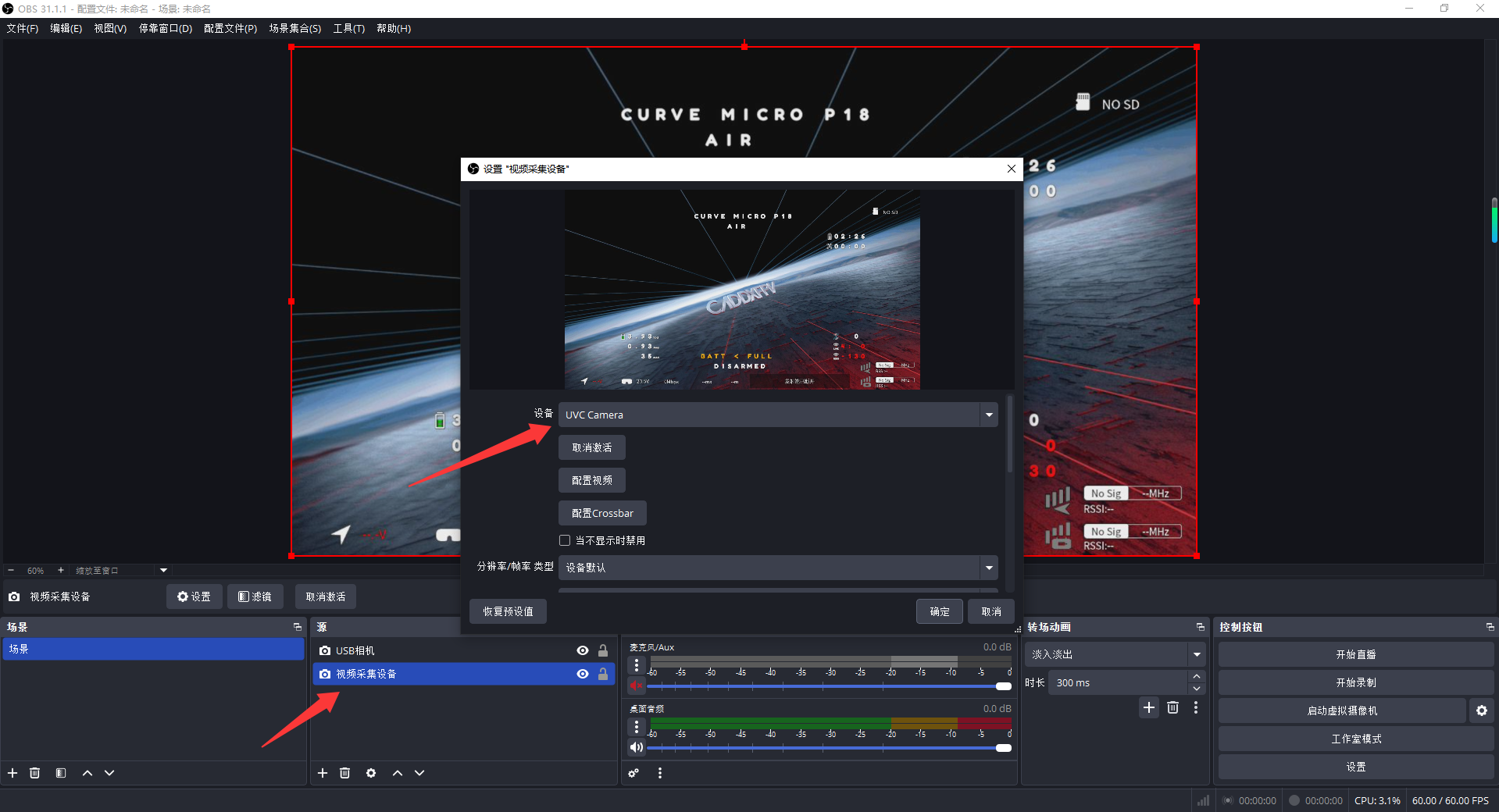
- In OBS, add a
Video Capture Device, open its properties, and selectUVC Camerato display the video feed.
¶ OBS Resolution Settings
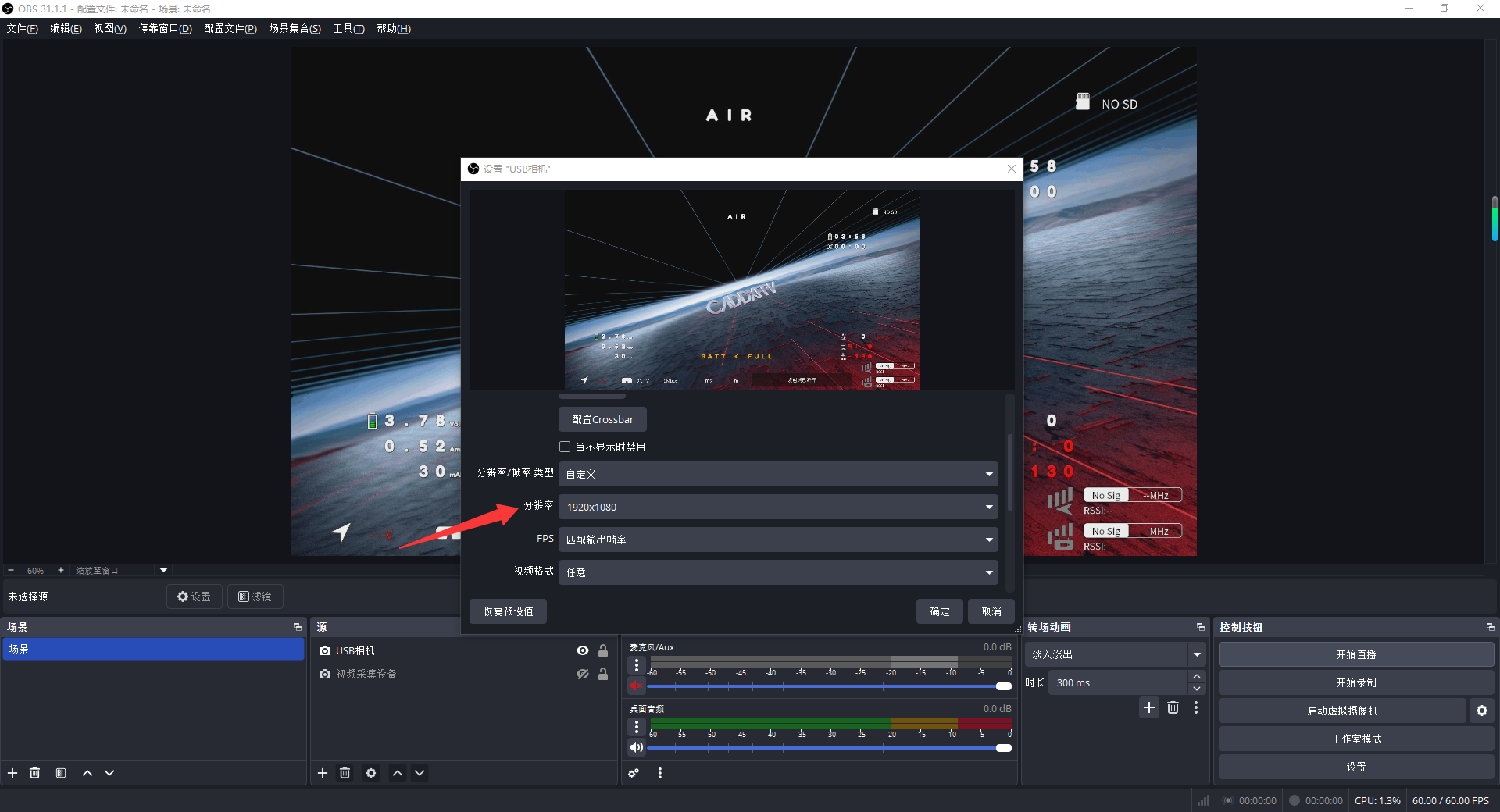
- The VRX Pro uses 1080p resolution by default, so OBS must also be set to 1080p.
- If the resolution is changed to 720p after connecting to the air unit, the resolution in OBS must also be changed accordingly. Otherwise, OBS may not display the video feed correctly.
¶ Android Phone
¶ Step 1: Enable OTG
- Make sure your phone supports OTG.
- Enable OTG on your Android phone. The procedure varies between phone brands, so it is not covered in detail here.
¶ Step 2: Connect the USB Cable
- Connect the VRX Pro to the phone using a full-featured USB-C to USB-C data cable.
¶ Step 3: Install the App
- Install the
USB Cameraapp on your phone.
¶ Step 4: Enable UVC
- UVC is disabled by default on the Ascent VRX Pro. It must be enabled manually before first use.
¶ Step 5: Connect Using the App
- If the cable is connected correctly, the app should detect the connected UVC camera. Set the correct resolution to display the video feed.
¶ Important Notes
In Ascent VRX Menu > Settings > Recording, you can enable or disable Recording OSD. This setting also affects the OSD displayed through UVC, including both the system UI and flight controller OSD.
The UVC protocol does not support audio output. Only the video feed can be transmitted.