¶ When to Use This Guide
- Use this guide when new firmware is released or when the devices cannot Bind.
¶ What You Need
- A computer
- A microSD card
- A card reader
¶ Method 1: microSD Card
¶ Step 1: Download the Firmware
- Download the firmware to your computer and insert the microSD card into the computer.
- Make sure the microSD card is formatted as exFAT.
- Download Ascent HD Firmware
¶ Step 2: Select the Correct File
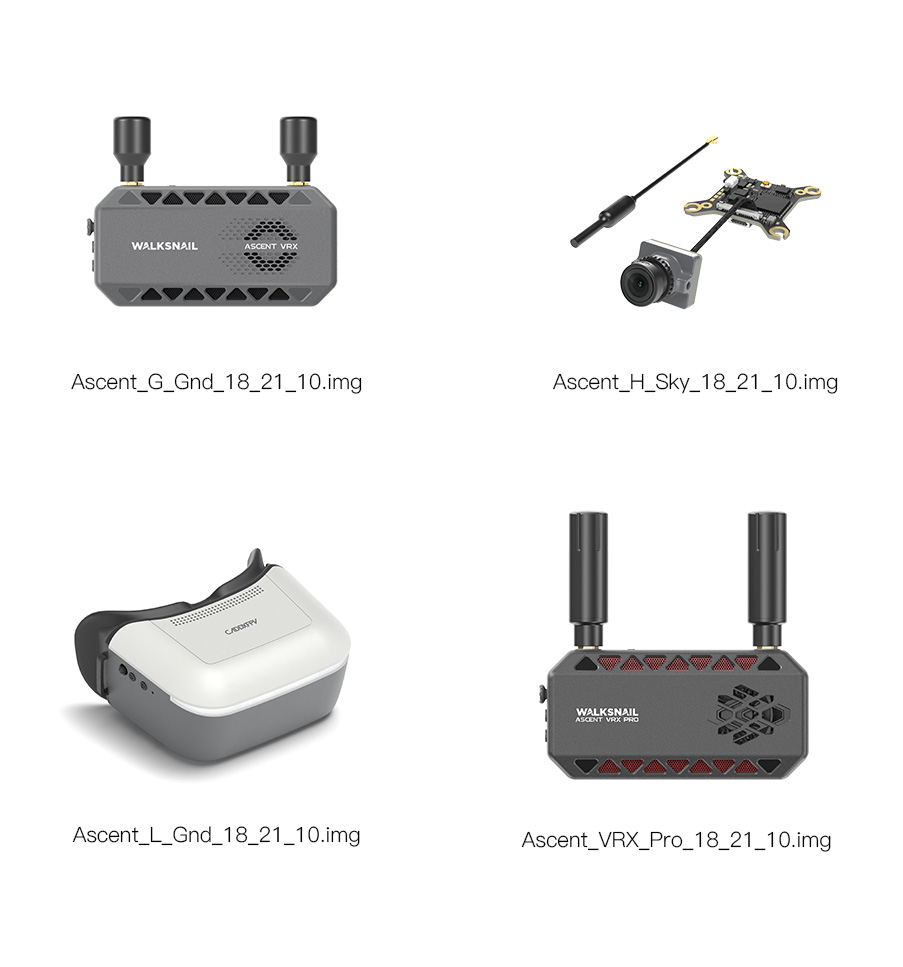
- The device has strict firmware filename requirements. An incorrect file may prevent the firmware update from working properly.
- Refer to the image below and select the firmware file corresponding to your device. The filename copied to the device must exactly match the filename shown below.
- For example, for Ascent Goggles, select
Ascent_L_Gnd_xx_xx_x. - Copy the firmware file to the microSD card.
¶ Step 3: Start the Firmware Update
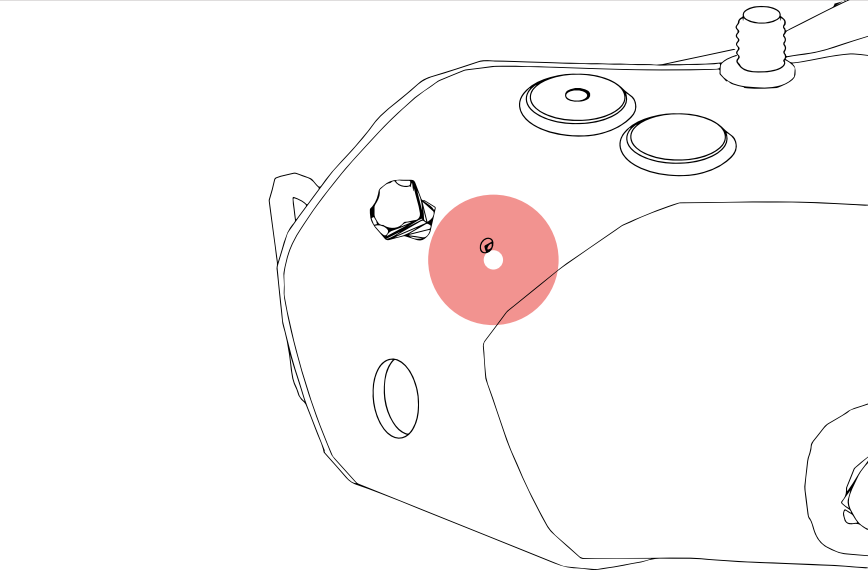
- Connect the receiver unit to a power supply and turn it on. Insert the microSD card into the device. After the device has started, press and hold the Bind button for 8 seconds until the screen turns off or the buzzer sounds, then release the button.
¶ Step 4: Complete the Firmware Update
- The device will enter firmware update mode and the buzzer will sound slowly. Wait until the update is complete.
¶ How to Verify
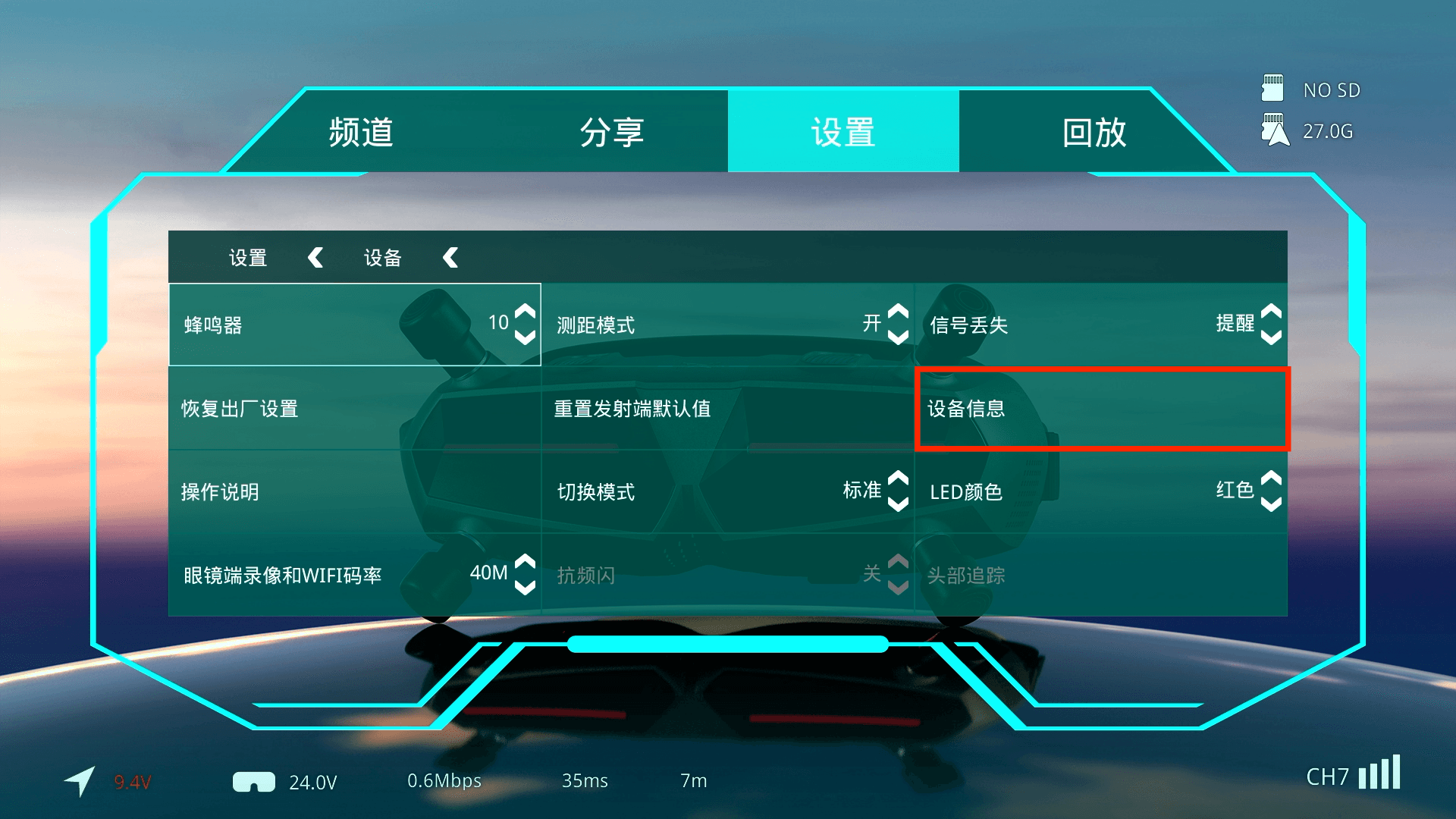
- If the firmware update is successful, you can check the current firmware version under Settings > Device > Device Information.
¶ Method 2: PC Tool
This method is only available for receiver units that support USB, such as the Ascent VRX.
¶ Step 1: Download the Firmware
- Download the firmware to your computer and insert the microSD card into the computer.
- Download Ascent HD Firmware
¶ Step 2: Connect to PC Tool
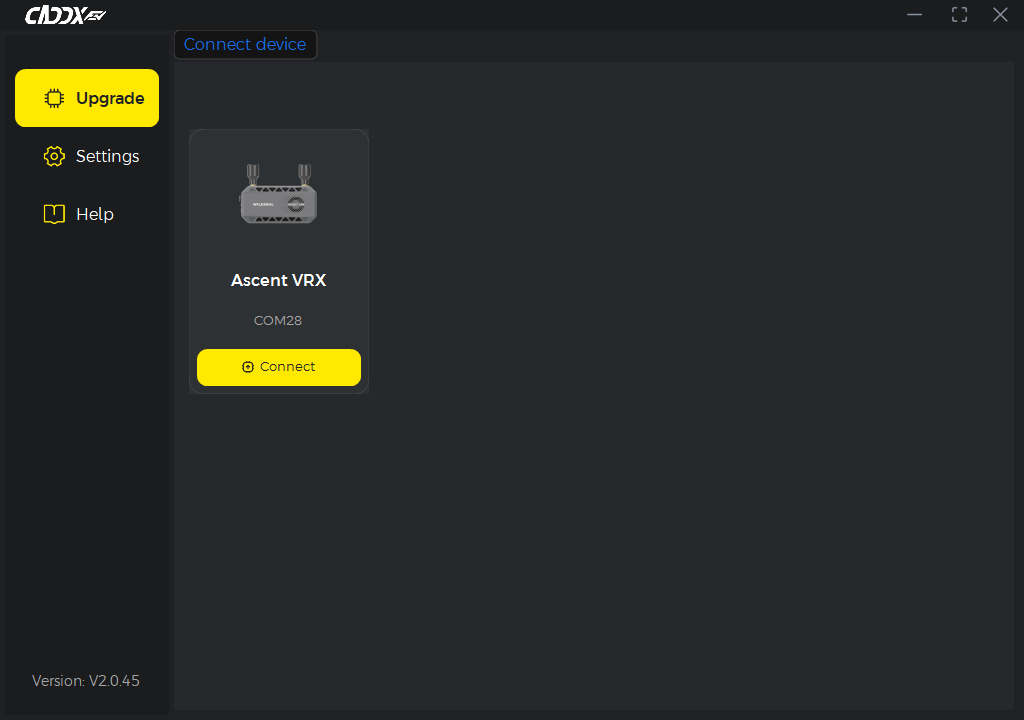
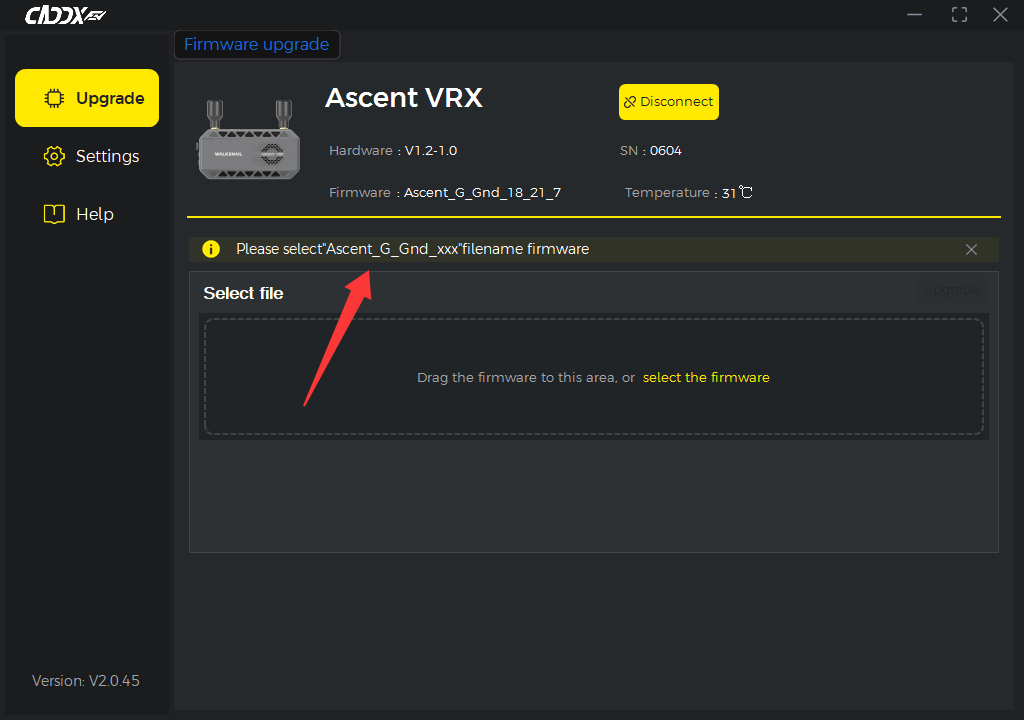
- Open the downloaded PC Tool. Connect the device to a battery and power it on, then connect it to the computer via USB. The software will automatically detect the device.
¶ Step 3: Start the Firmware Update
- Follow the instructions in the software to select the correct firmware file, then confirm the update.
- If an incorrect firmware file is selected, the software will display an error.
¶ Step 4: Complete the Firmware Update
- If the update is successful, PC Tool will display a success message and the device will restart.
¶ How to Verify
- If the firmware update is successful, you can check the current firmware version under Settings > Device > Device Information.
¶ Important Notes
Do not disconnect the power during the firmware update. Doing so may cause the update to fail or, in severe cases, brick the device.
The firmware update takes approximately 5 minutes. If the device still does not restart after this time, you can disconnect the power and try again.