¶ When to Use this Guide
- When attempting to update the firmware but the device reports an error and the update cannot be completed.
¶ Preparation
¶ What You Need
- A computer
- A U3 microSD card
- A card reader
- A small cooling fan
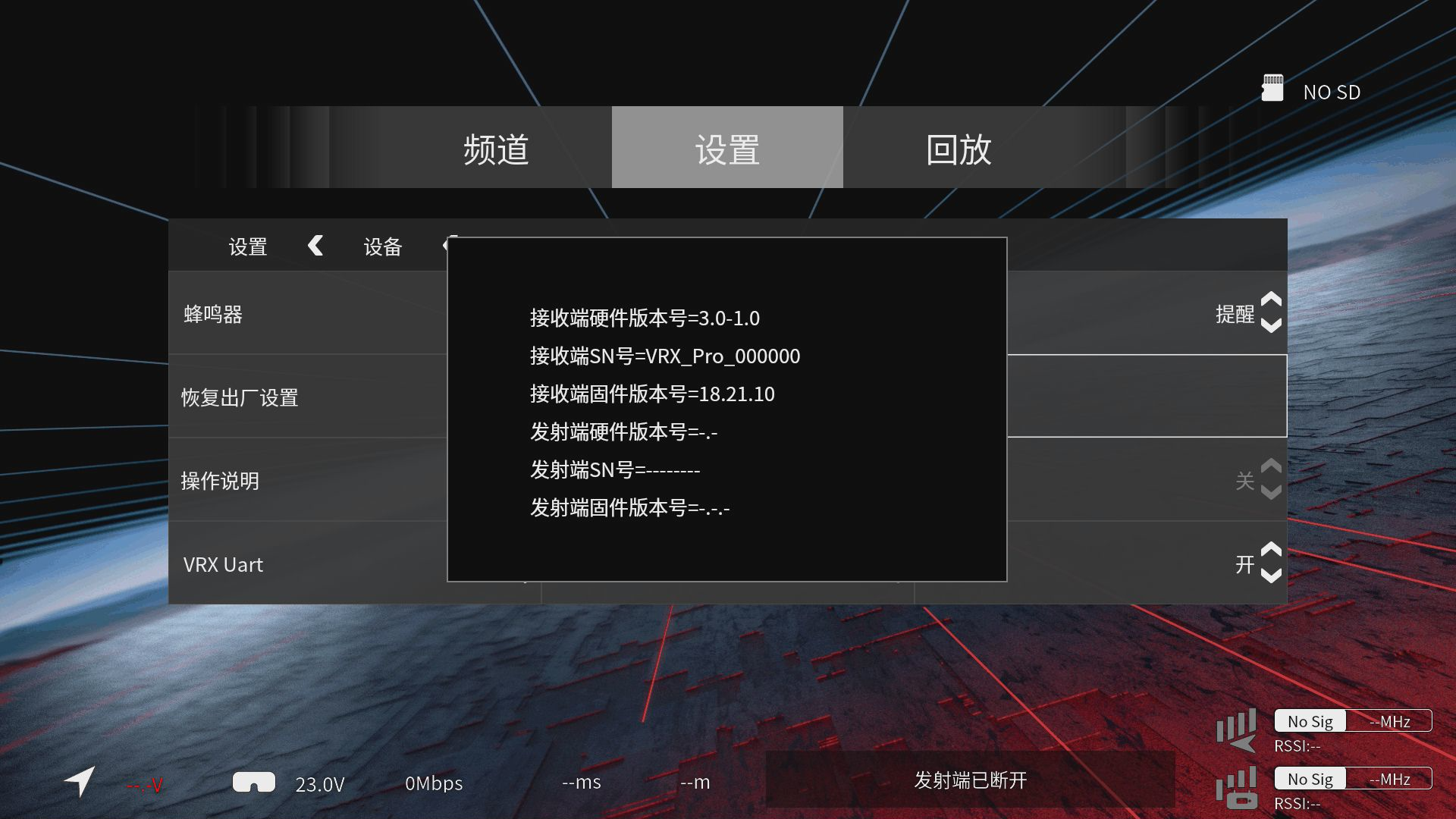
¶ Check the Current Version
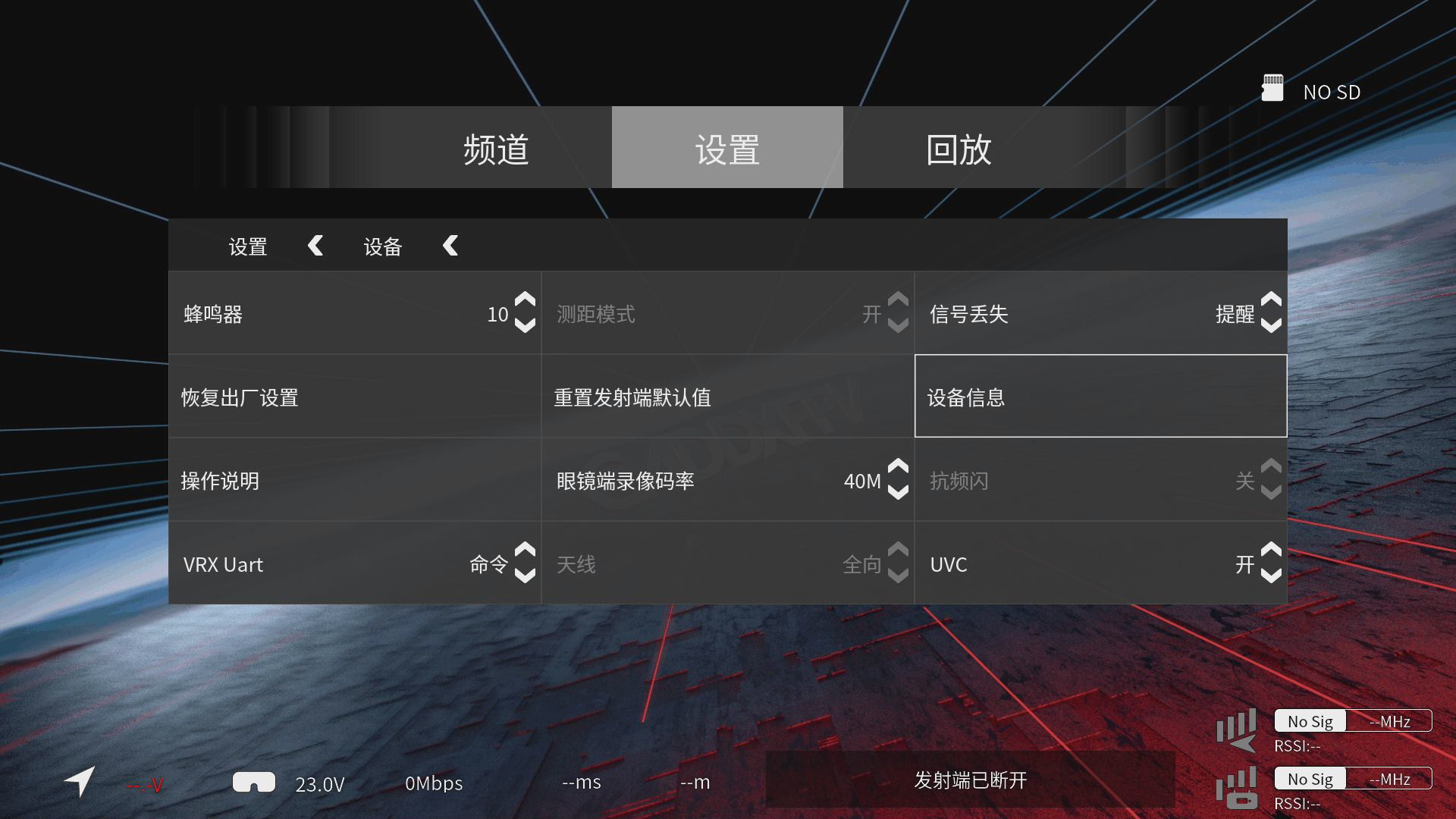
- Go to Settings > Device > Device Information.
¶ Important Notes
Do not attempt to downgrade the firmware, as this may brick the device and prevent it from working. If devices cannot Bind due to different firmware versions, update all devices to the latest same firmware version.
¶ Air Unit
¶ Insufficient Power Supply
- A stable power supply is required for normal operation. When updating via USB, try using a USB 3.0 blue USB port.
- Alternatively, supply power directly to the air unit instead of powering it only through USB.
¶ Firmware Version Gap Is Too Large
- If the update fails when using PC Tool and the current firmware version is
16.1.33, first update to firmware version16.4.4, and then update to the latest version.
¶ PC Tool Version
- Using an older version of PC Tool may cause the firmware update to fail.
- Download CADDX PC Tool
¶ Bent USB Pins
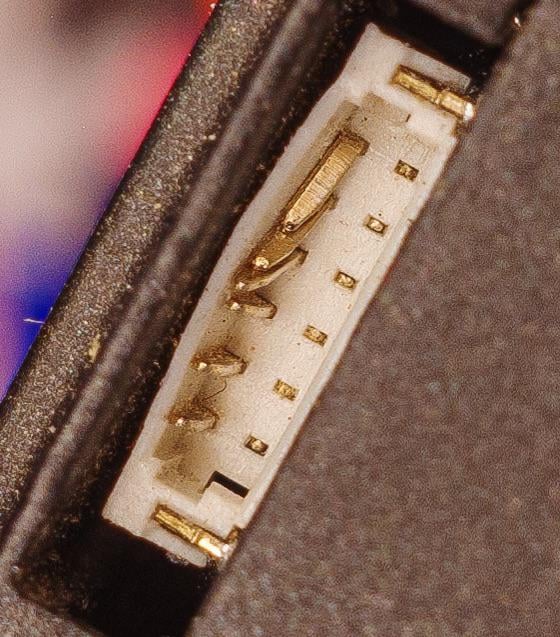
- Improper cable insertion may bend the USB connector pins and prevent data communication.
- Carefully inspect the USB pins on the air unit. If any pins are bent, you can try carefully straightening them with tweezers. If the issue cannot be resolved, contact after-sales support for repair.
¶ Goggles Receiver Unit
¶ Insufficient Power Supply
- A stable power supply is required for normal operation. A 12V, 2A power supply is recommended.
¶ Incorrect Firmware File
- The device requires the firmware filename to be exactly correct. Using an incorrect file will cause the firmware update to fail.
¶ Technical Support
If the issue still cannot be resolved, please contact an official support channel for technical assistance.