- To extend the lifespan of the OLED displays and reduce heat generation and power consumption when frequently taking off the goggles.
- The Avatar Goggles X features an automatic screen-off function. An infrared proximity sensor is located in the center of the goggles. When the sensor does not detect the user, the displays automatically turn off.
- This function is enabled by default. Simply remove the protective film covering the sensor in the center of the Goggles X.
- To disable this function, go to Settings > Display.
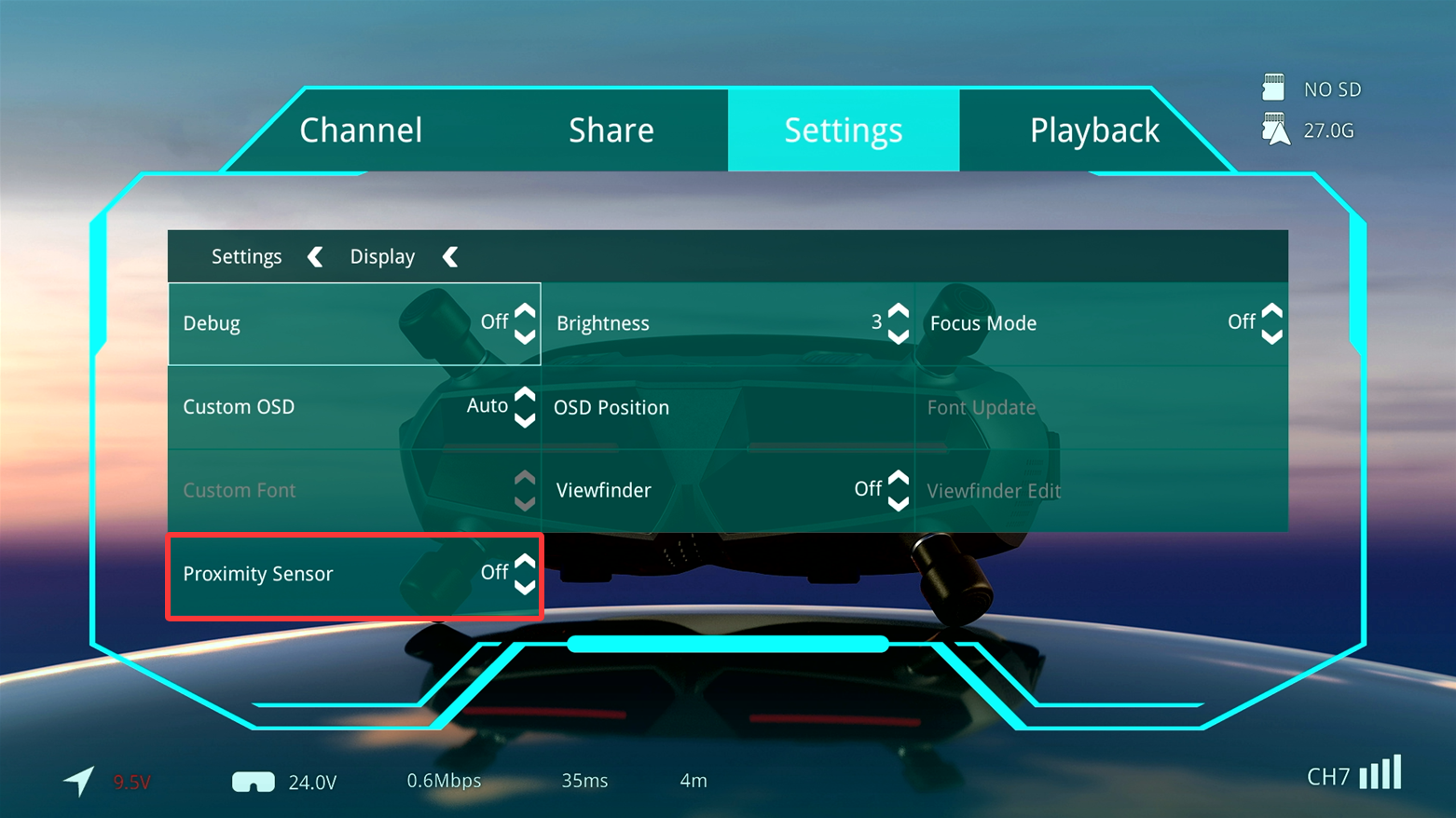
- The default detection distance may not be suitable for everyone. In some cases, the infrared proximity sensor may not activate properly when the goggles are being worn.
- In this case, calibrate the infrared proximity sensor.
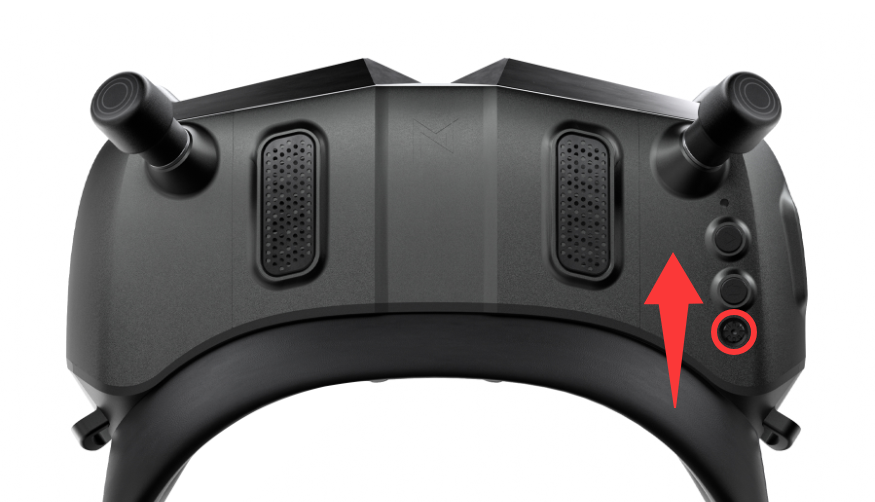
- Calibration method: On the main screen, press and hold the UP button for 3 seconds (push the menu button forward). When the calibration screen appears, place your finger 1–1.5 cm away from the sensor, then press the middle button to confirm the calibration.
- This function is only available in VRX Mode. It does not operate in HDMI Mode or CVBS Mode, and the displays will remain on continuously in these modes.