¶ When to Use This Guide
- Use Repeater Mode when the standard video link cannot provide sufficient coverage or when there is significant interference nearby.
¶ How It Works
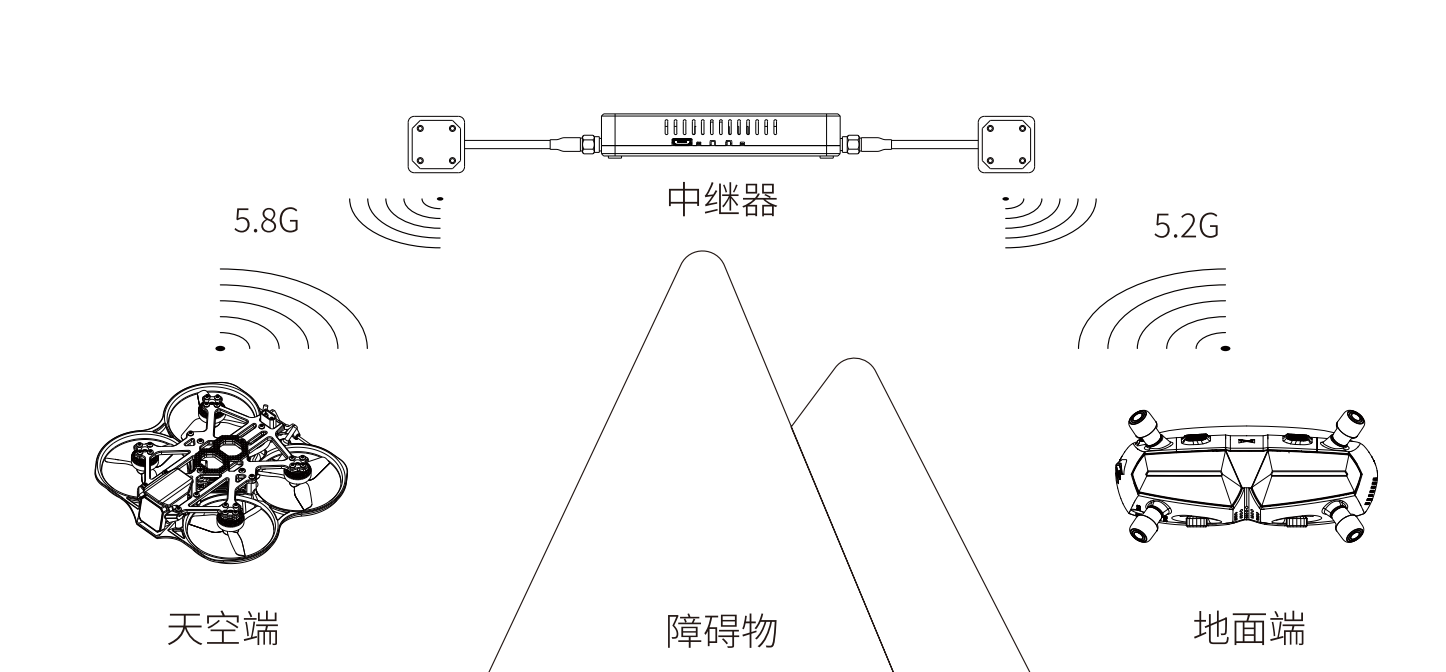
- In Repeater Mode, the air unit transmits its signal to the repeater first. The repeater then forwards the signal to the receiver unit.
- To prevent co-channel interference, the link from the repeater to the receiver unit operates on the 5.2 GHz frequency band.
¶ What You Need
¶ Repeater
- One repeater module
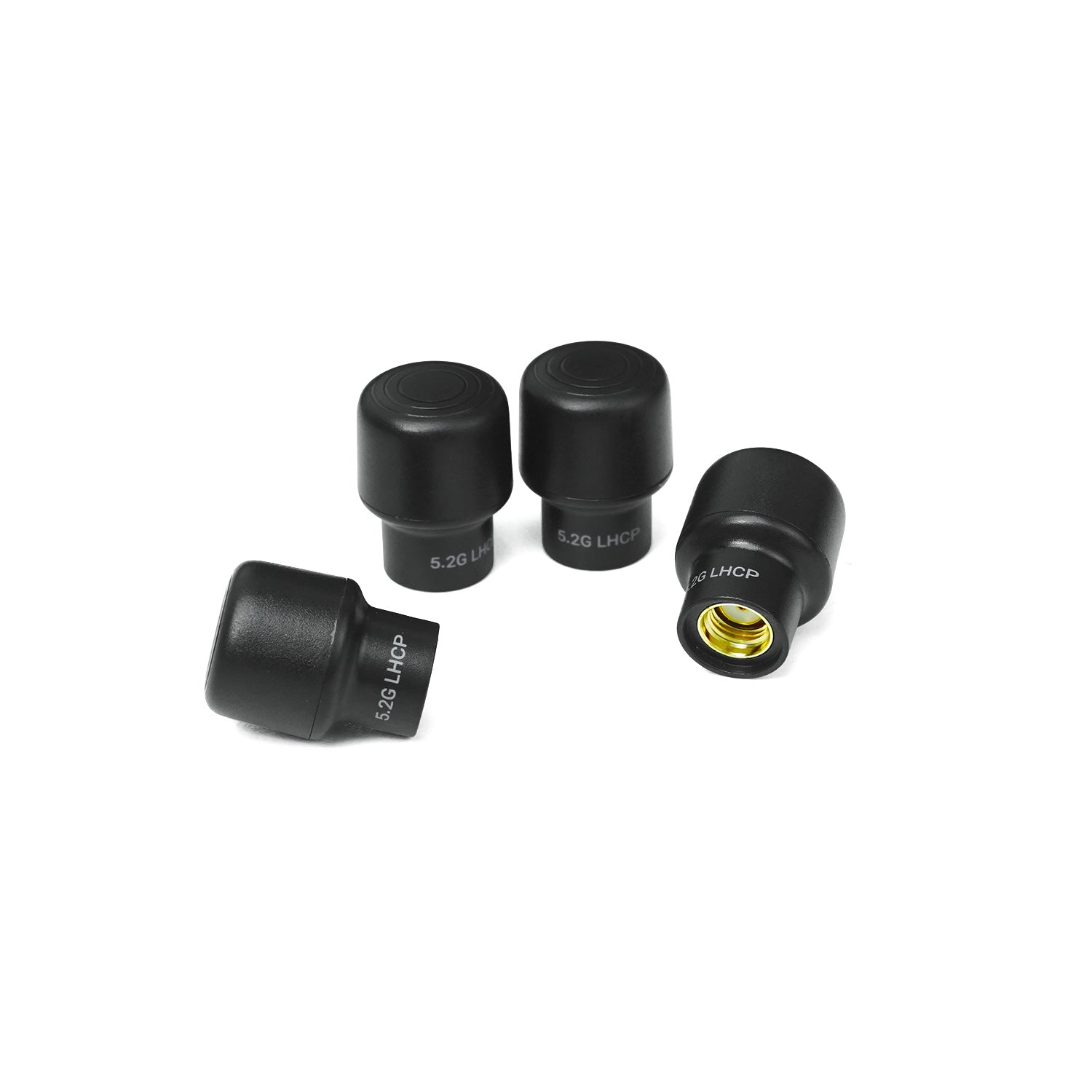
¶ 5.2 GHz LHCP Antennas
- Two to four 5.2 GHz left-hand circularly polarized (LHCP) antennas, depending on the number of antenna ports available on your receiver unit.
¶ Setup Procedure
¶ Step 1: Update the Firmware
- Ensure that the Avatar HD receiver unit, air unit, and repeater are all running the latest firmware version.
¶ Step 2: Unlock Repeater Mode
- Before using Repeater Mode for the first time, create a text file on the microSD card installed in the receiver unit and name it:
Avatar_std
Enter the following text in the file:
relay=on
- Restart the receiver unit. After Repeater Mode has been unlocked, you can switch between Standard, Race, and Repeater modes directly from the system settings menu.
Repeater Mode must be unlocked again after performing Reset All.
¶ Step 3: Use the Correct Antennas
- The receiver unit normally operates on the 5.8 GHz frequency band. When Repeater Mode is enabled, the receiver unit switches to the 5.2 GHz band and can no longer connect directly to the air unit.
- Replace the receiver unit antennas with compatible 5.2 GHz antennas for the best performance.
¶ Step 4: Position the Equipment Correctly
- Install the repeater in an elevated position or on top of an obstacle.
- Point its 5.2 GHz antennas toward the pilot and its 5.8 GHz antennas toward the aircraft.
¶ Settings
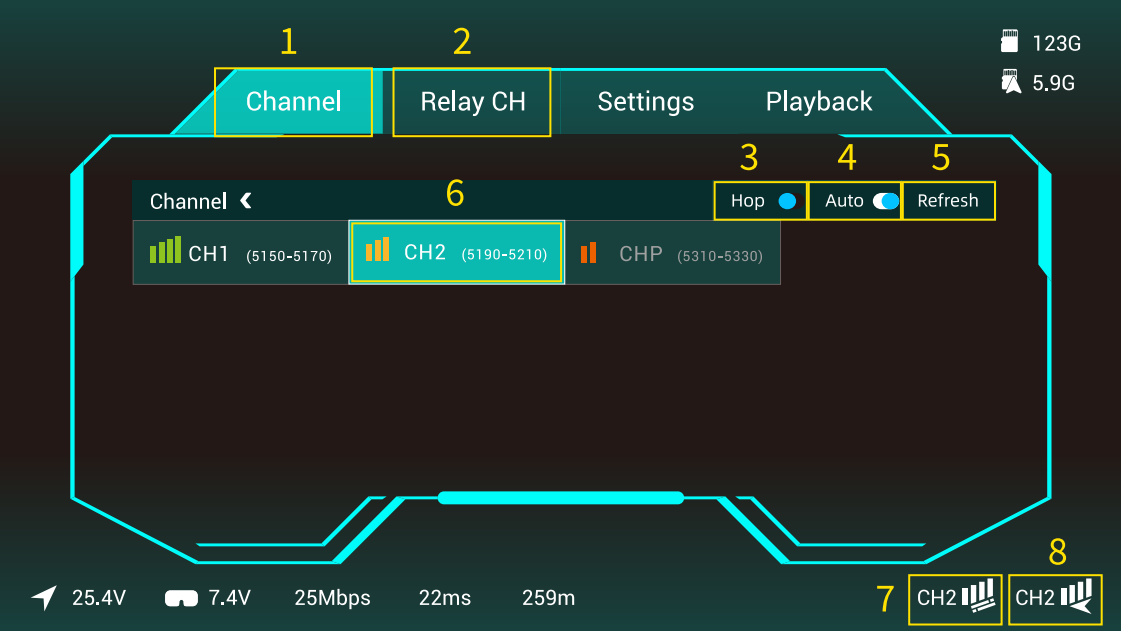
¶ Channel Selection
- The air unit channel and repeater channel can be configured independently in the receiver unit menu.
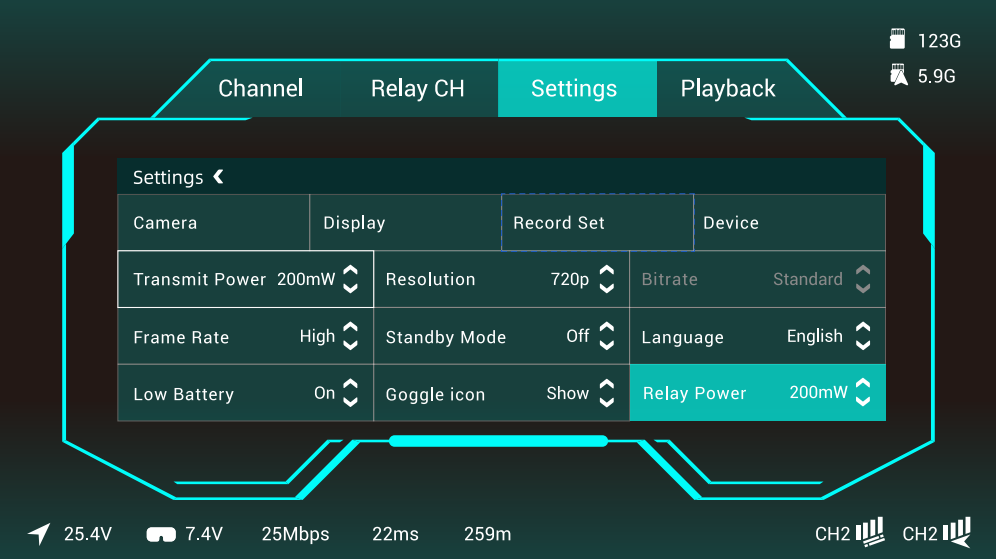
¶ Transmission Power
- The transmission power of the air unit and repeater can be configured independently.
¶ Important Notes
The directional patch antennas included with the repeater must be oriented correctly. Point the 5.8 GHz antennas toward the aircraft and the 5.2 GHz antennas toward the pilot. Incorrect antenna orientation may prevent the signal from being relayed properly.
Repeater Mode does not support Race Mode, Range Estimation, High Bitrate Mode, Sharing Mode, or head tracking.
The Avatar Goggles L technically support Repeater Mode. However, modification is not recommended because their antennas are built in.
When using Repeater Mode, the receiver unit antennas must be replaced with 5.2 GHz antennas. Using 5.8 GHz antennas will significantly reduce signal performance.
In Repeater Mode, the receiver unit does not connect directly to the air unit under any circumstances. All communication must pass through the repeater. Therefore, if the repeater is positioned too far away, the signal may remain weak even when the aircraft and air unit are close to the pilot.