¶ When to Use This Guide
- Use Sharing Mode when you need to share the live flight view with a spectator.
¶ How It Works
Sharing Mode allows the air unit to transmit its live video feed simultaneously to an additional receiver unit.
¶ What You Need
¶ Firmware Update
Update both the Avatar receiver units and the air unit to the latest firmware version. Firmware V38.43.13 or later is required.
¶ Equipment
Prepare two Avatar receiver units. The two units do not need to be the same model.
¶ Setup Procedure
¶ Step 1: Enable Broadcast on the Primary Receiver Unit
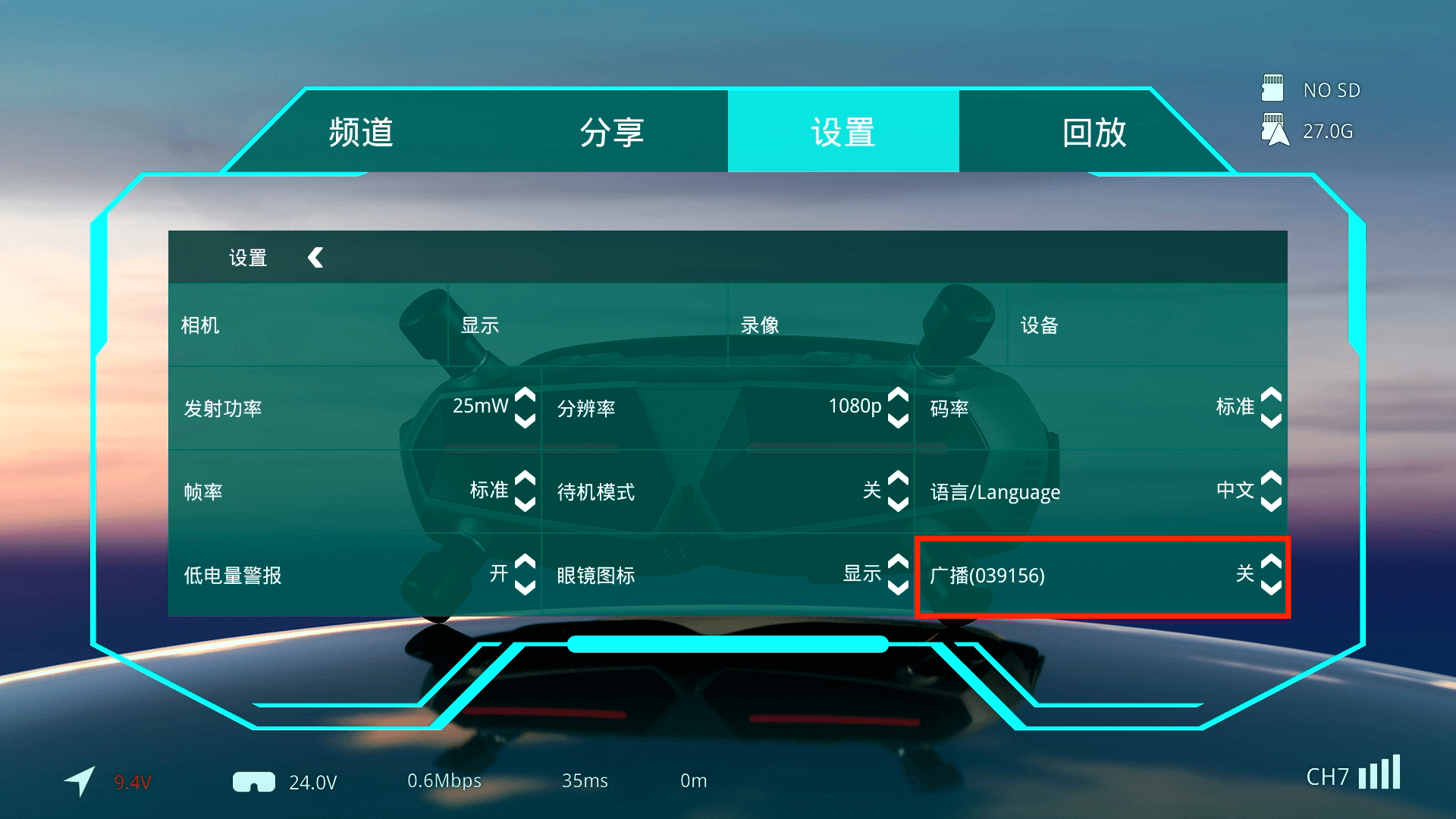
Enable Broadcast in the system settings menu of the primary receiver unit.
¶ Step 2: Enable Sharing Mode on the Secondary Receiver Unit
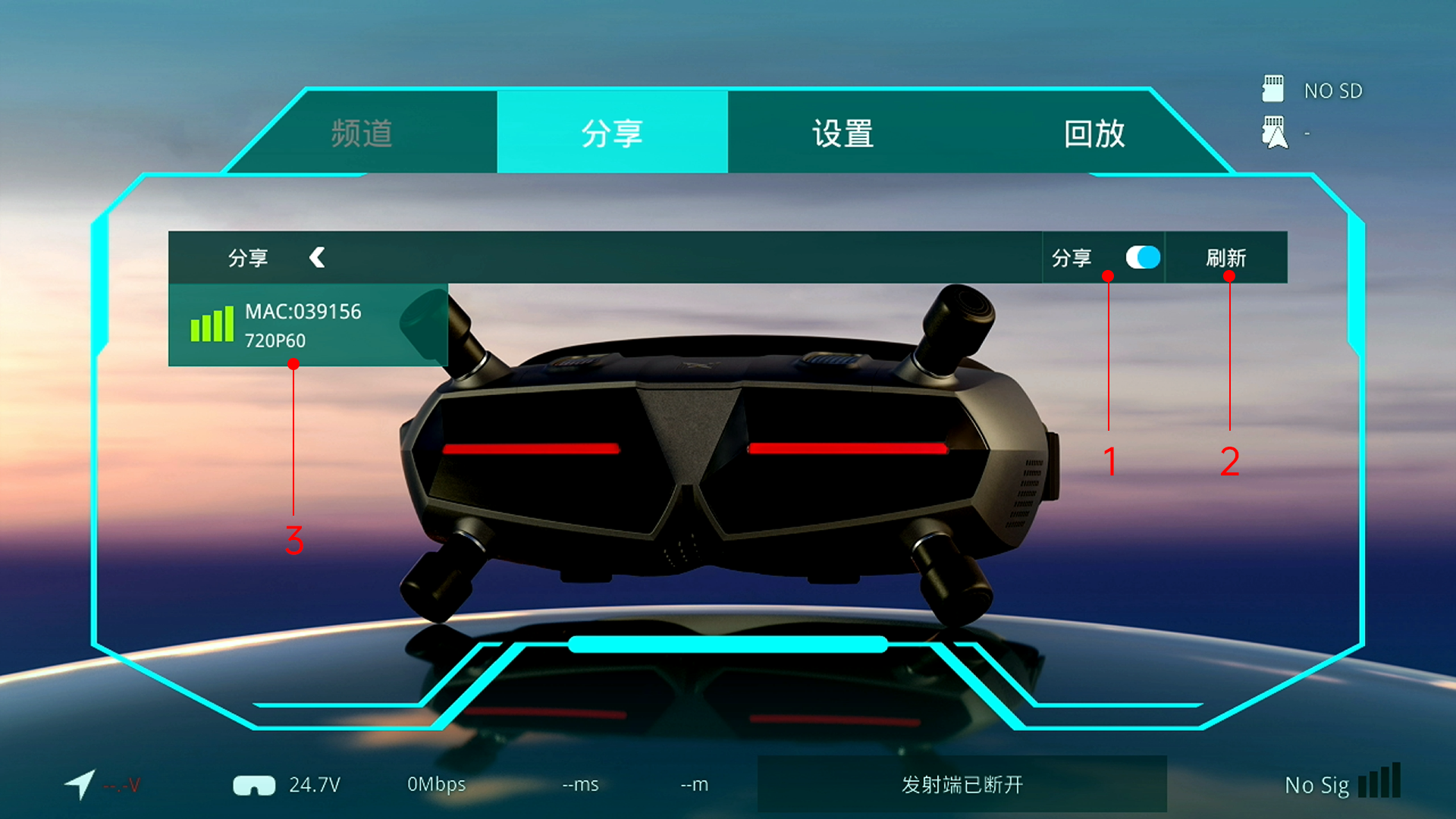
Enable Sharing in the system settings menu of the secondary receiver unit.
If another nearby system has enabled Broadcast, its signal will appear in the available channel list. Move the cursor to the desired signal and select it to display the live video feed.
¶ Important Notes
In Sharing Mode, the secondary receiver unit receives the signal directly from the air unit, not from the primary goggles. Its performance therefore does not depend on how close it is to the primary goggles.
The HD digital FPV system uses two-way communication. To maintain the best possible connection with the primary receiver unit, the air unit does not establish two-way communication with the secondary receiver unit. As a result, the image received by the secondary unit may fluctuate significantly as signal conditions change.
For a video feed that exactly matches the primary receiver unit, use the HDMI output from the primary device.
Enabling Broadcast increases latency by approximately 1 ms and may reduce image quality. Disable Broadcast when Sharing Mode is not required.
Broadcast is enabled by default in Race Mode and disabled by default in Standard Mode.