¶ When to Use this Guide
- When you need to connect the Drone for firmware updates or configuration.
¶ Preparation
- Curve C16 Drone
- Firmware update module
- Black 4-pin update cable
- Colored 4-pin update cable
¶ Update the Air Unit Firmware
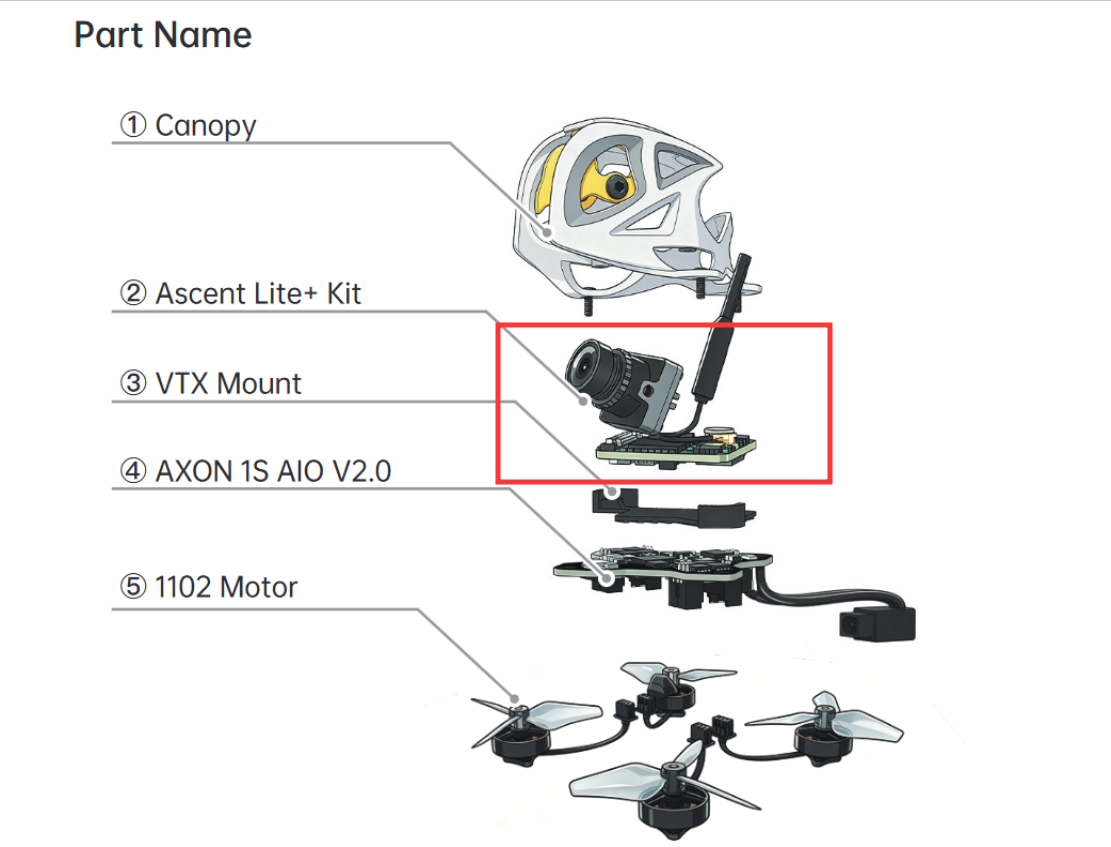
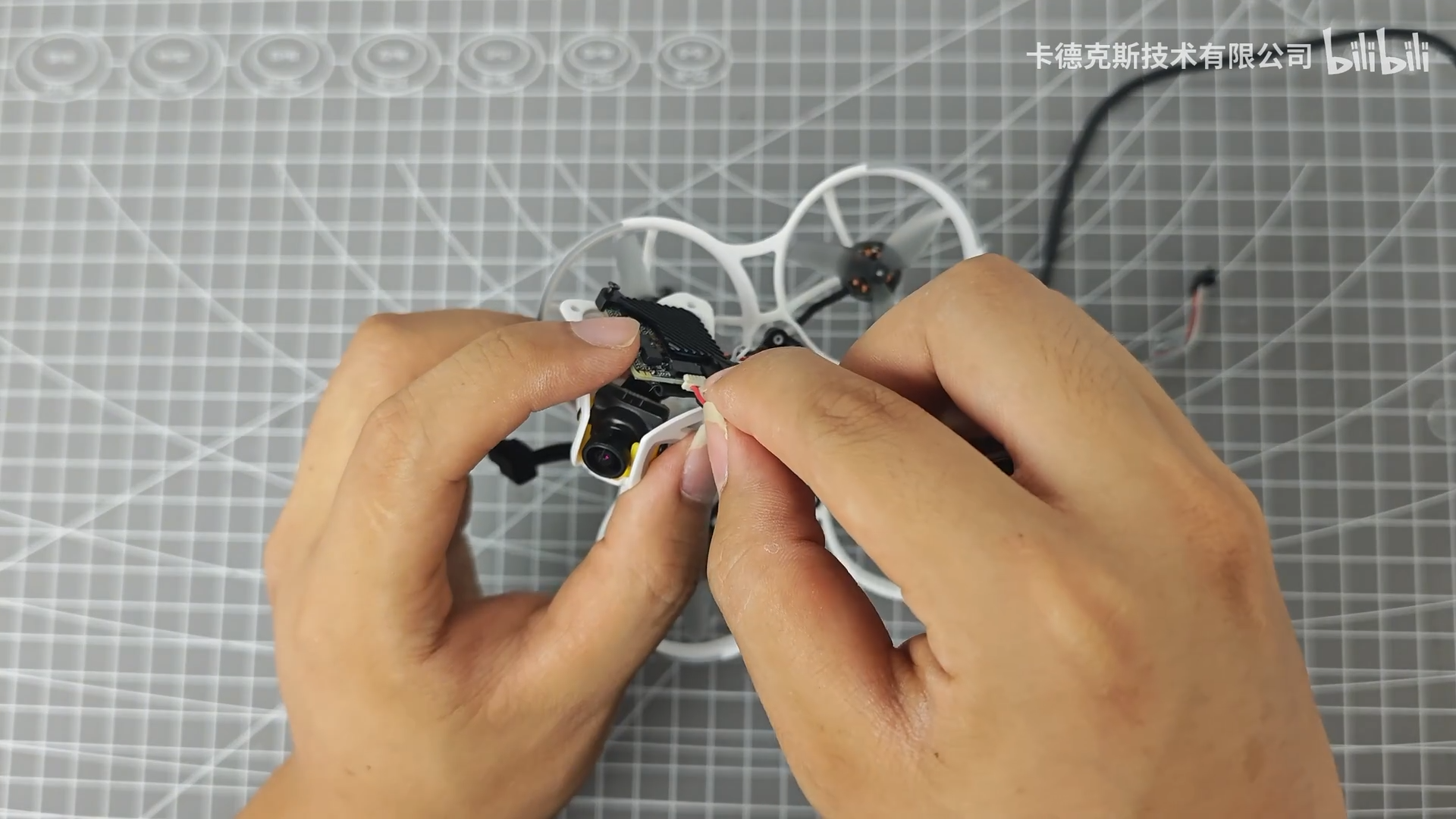
- This is one of the most common mistakes made by beginners. When updating the air unit firmware, the update cable must be connected to the air unit, not the flight controller.
As shown by the red box in the image below, connect the update cable to this port on the air unit when updating the air unit firmware.
¶ Video Tutorial
¶ Connect the Flight Controller
- Generally, the Curve 16 does not require flight controller firmware updates. Only factory-customized firmware is provided. However, if an incorrect flight controller configuration file is accidentally loaded, you can connect the flight controller to a computer and re-import the configuration file.
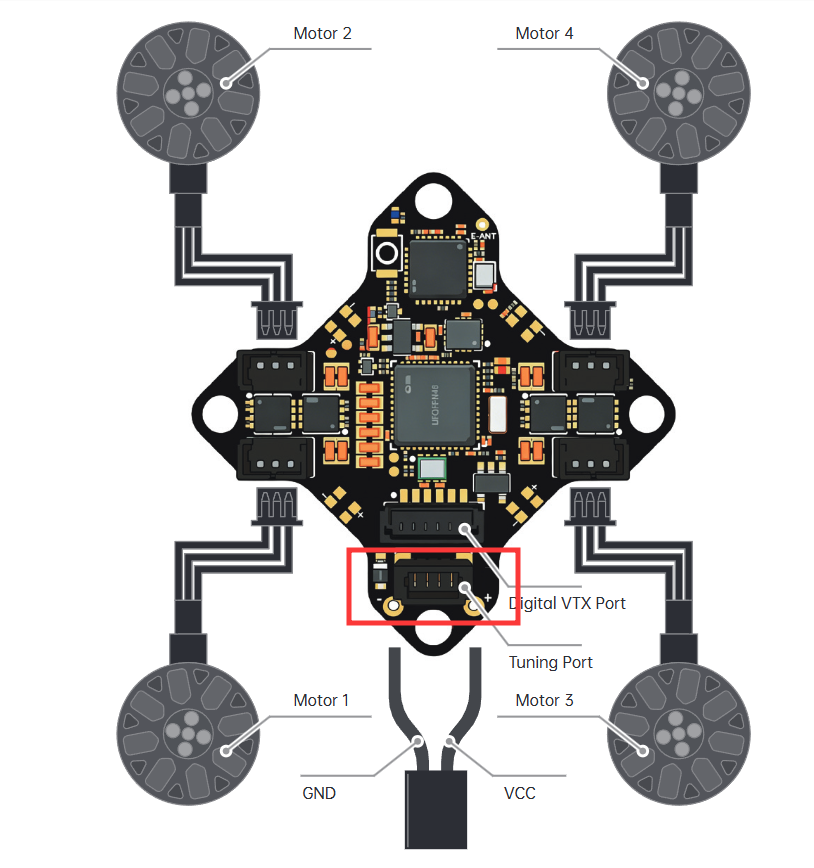
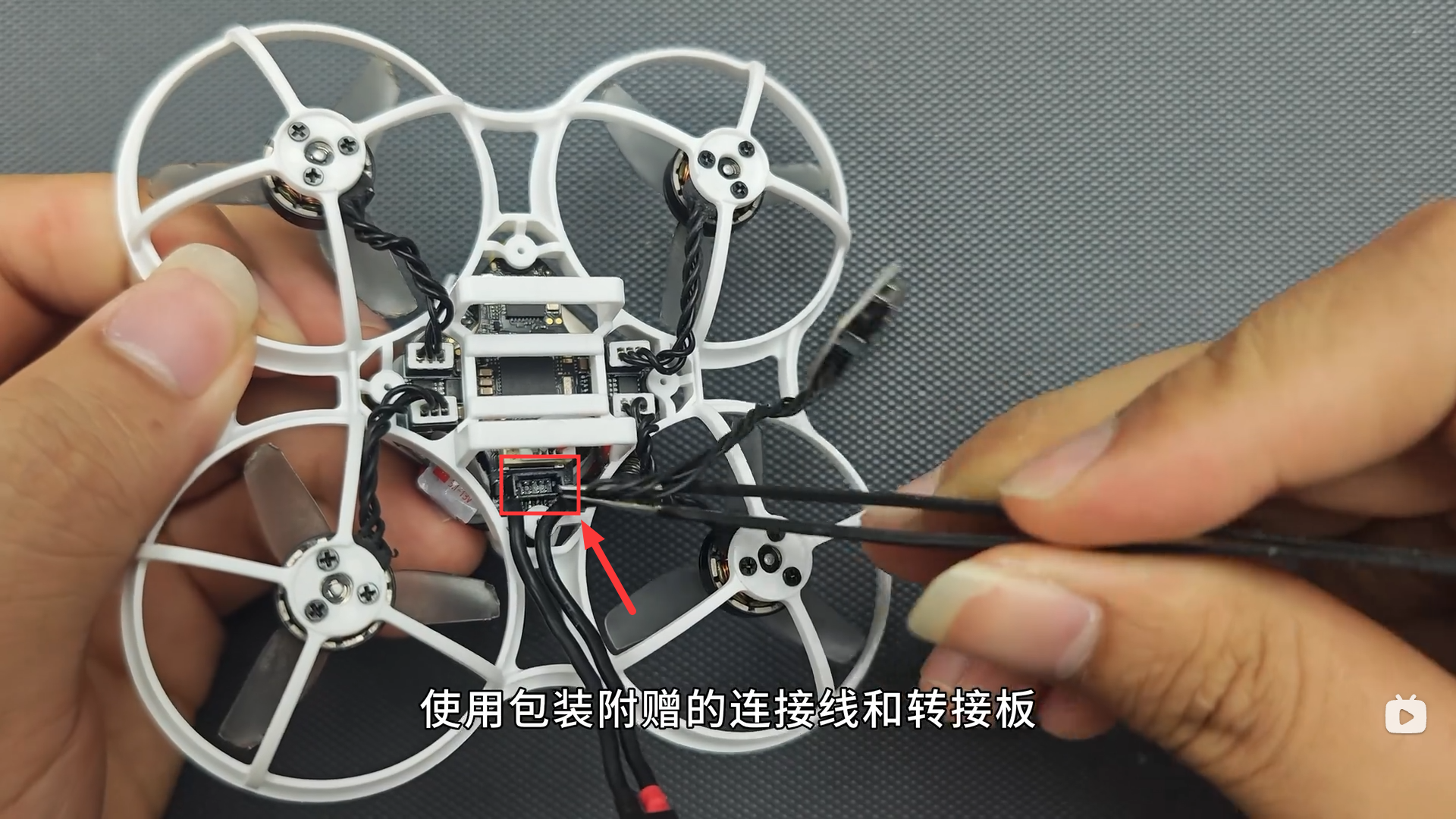
- As shown below, insert the black 4-pin cable into the connector on the bottom of the flight controller. Then use a USB Type-A to Type-C data cable to connect it to a USB 3.0 port on your computer.
¶ Video Tutorial
¶ Notes
The flight controller and air unit use two different ports. Connecting the cable to the wrong port will prevent the firmware update from working.