- When the Orotos takes off with throttle only but drifts sideways.
- Protos Drone
- Protos Alink controller
- Protos Ascent Goggles
- Make sure the goggles and radio controller are both successfully Bound to the Protos Drone, and that the drone can be armed and take off normally.
- Place the Protos Drone on a level table.
- With the A-LINK radio controller already connected, move the left stick to the bottom-right corner and keep the right stick at its lowest position to enter calibration mode.
- The Protos Ascent Goggles will display
IMU CALIBRATION.
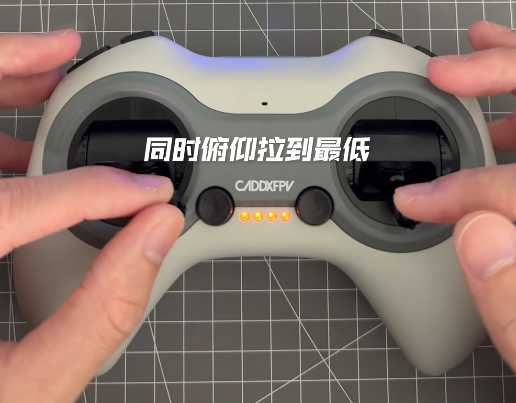
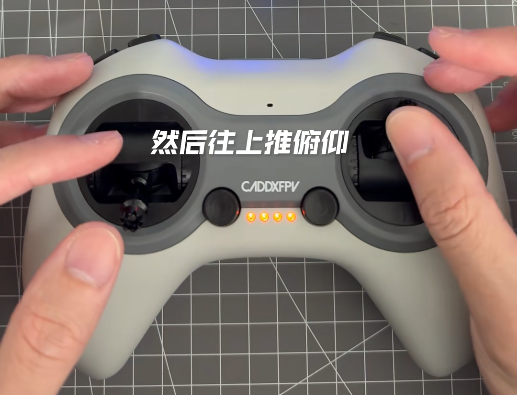
- Then push the right stick pitch to the top to select this option.
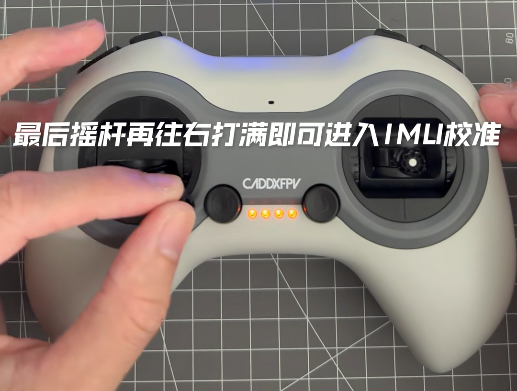
- Finally, move the left stick horizontally to the right to start IMU calibration.
- Wait until the Protos LED flashes green twice, indicating that IMU calibration is complete.
- Arm the Protos and take off, then check whether the aircraft still drifts sideways when only throttle is applied.