¶ When to Use This Guide
- Use this procedure when new firmware is released or when the devices cannot Bind.
¶ Video Tutorial
¶ What You Need
- A computer
- A gimbal firmware update module
- A USB-A to USB-C data cable
¶ Update Procedure
¶ Step 1: Download the Firmware
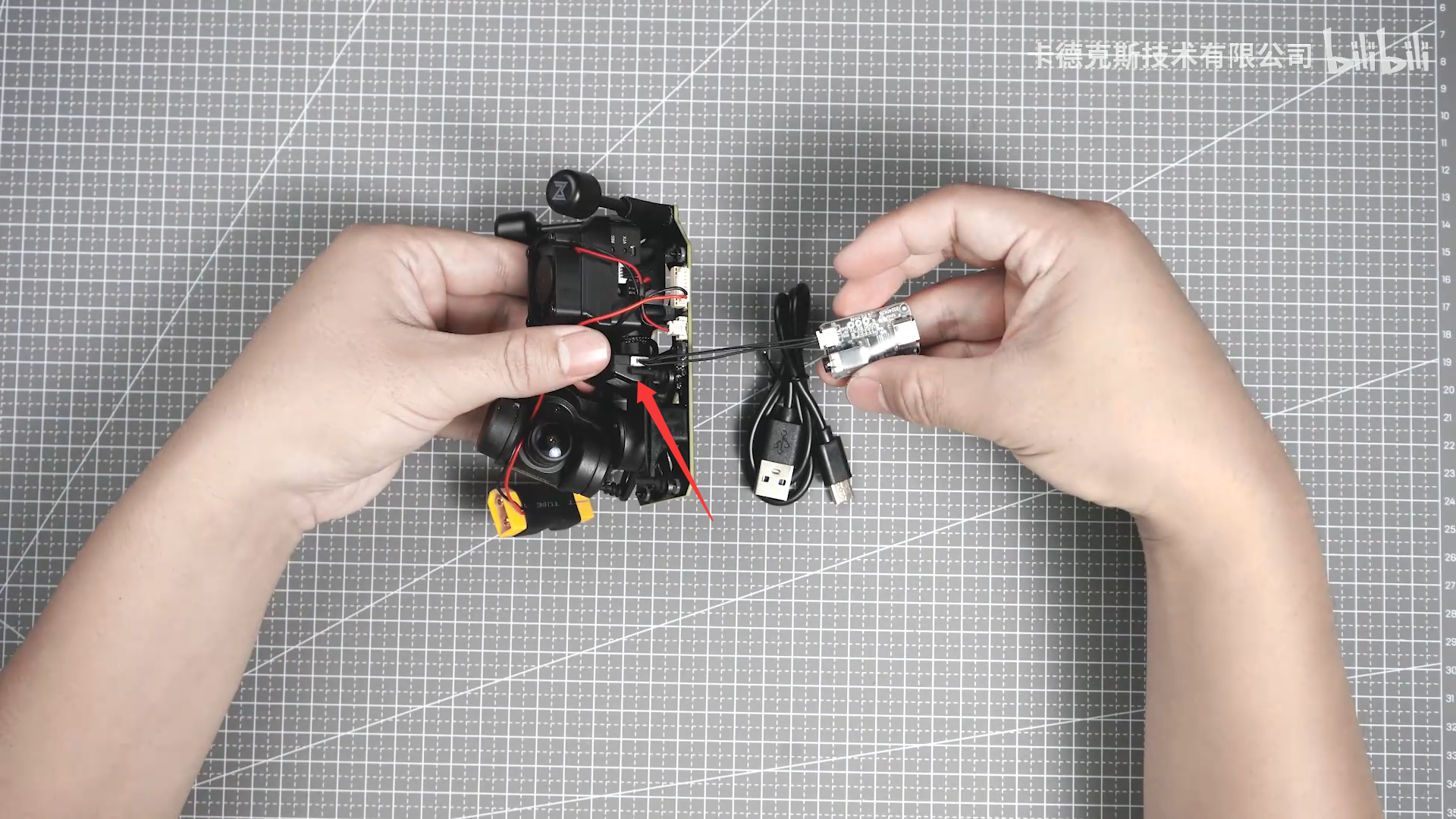
¶ Step 2: Connect the Gimbal to the Computer
- Use the firmware update module to connect the gimbal to the computer.
¶ Step 3: Install the Driver
- Install the driver included with the downloaded files to enable communication with the firmware update module.
¶ Step 4: Connect the Power Supply
- The gimbal must be powered separately during the firmware update. The USB connection alone cannot provide sufficient power for the update.
¶ Step 5: Select the COM Port
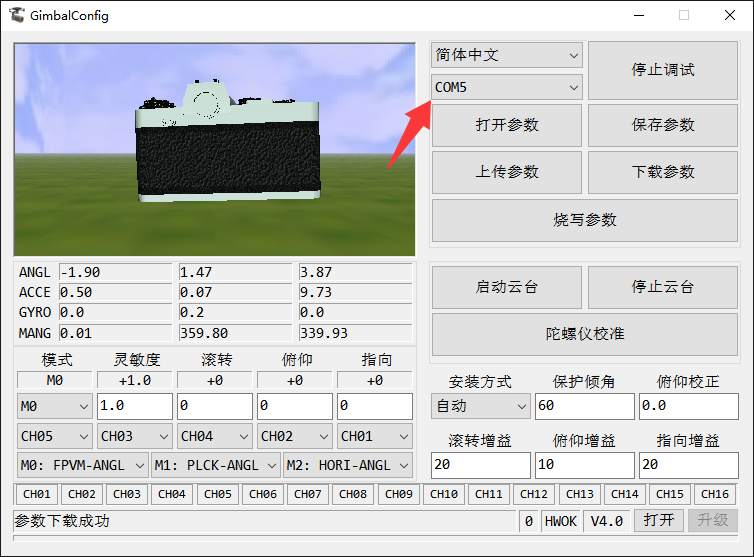
- Select a COM port other than COM1. If multiple COM ports are available, disconnect and reconnect the USB cable to identify the correct port.
- After the connection is successful, the values displayed in the software will change as the gimbal moves.
¶ Step 6: Update the Firmware
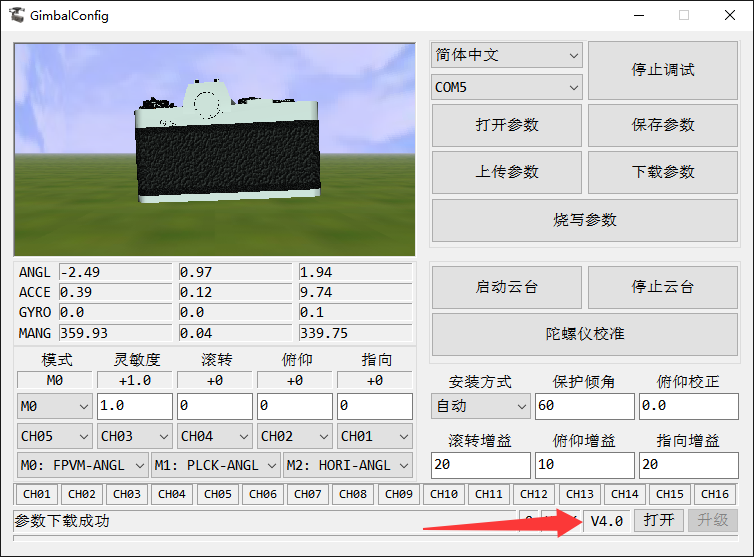
- The current firmware version is displayed in the lower-right corner. Select the new firmware file and start the update.
¶ Important Notes
If an air unit is connected during the firmware update, make sure it is adequately cooled. Extended operation without sufficient airflow may cause the air unit to overheat and enter thermal protection.
If the computer does not detect the COM port of the firmware update module, check whether the driver has been installed correctly.