¶ Applicable Scenario
- The GM V2 gimbal does not center after startup and appears tilted.
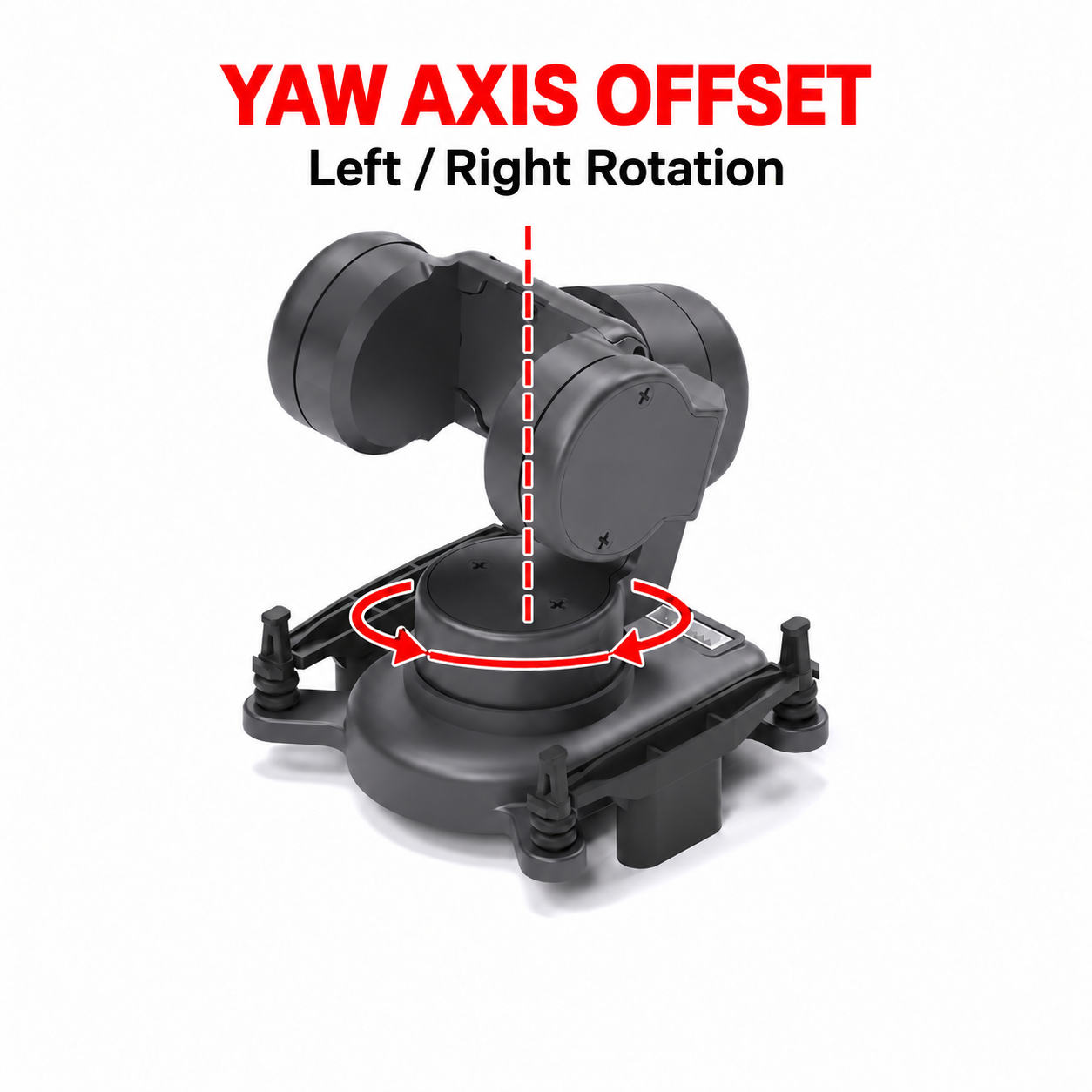
¶ Yaw Axis Misalignment
- The yaw axis, also known as the pan axis, controls the gimbal’s left-to-right rotation. A yaw offset causes the gimbal to point left or right of its centered position.
¶ Solution
- Update the gimbal firmware to the latest version and use the latest version of CADDX PC Tool.
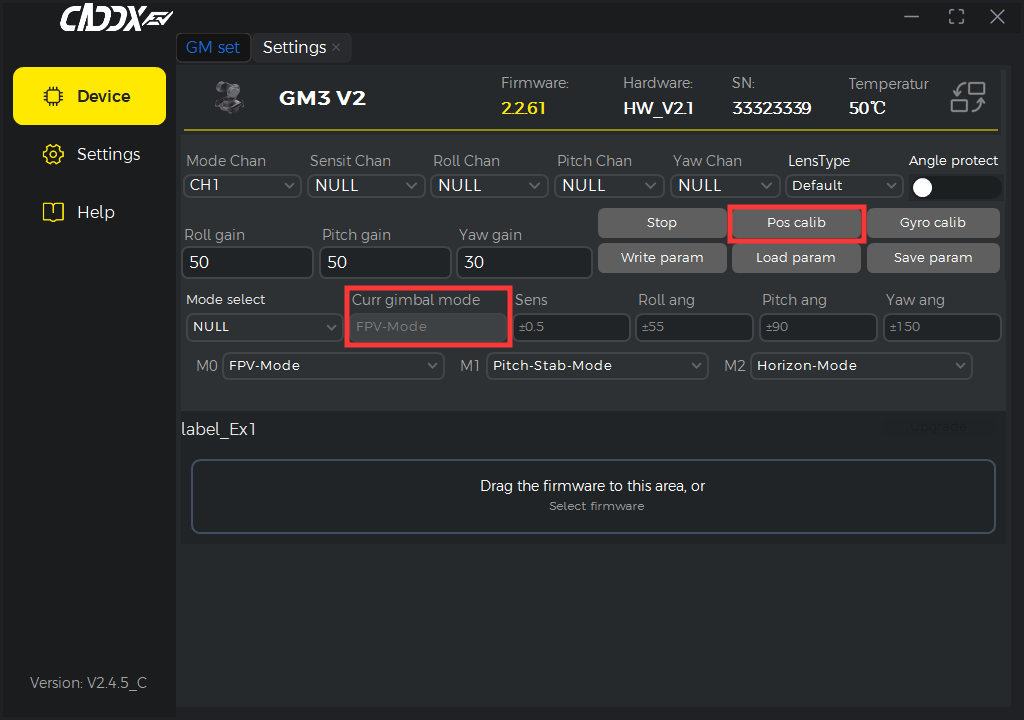
- After the gimbal has started successfully, connect it to PC Tool. Manually hold the gimbal in the centered position, then click Pos Calibration in the software.
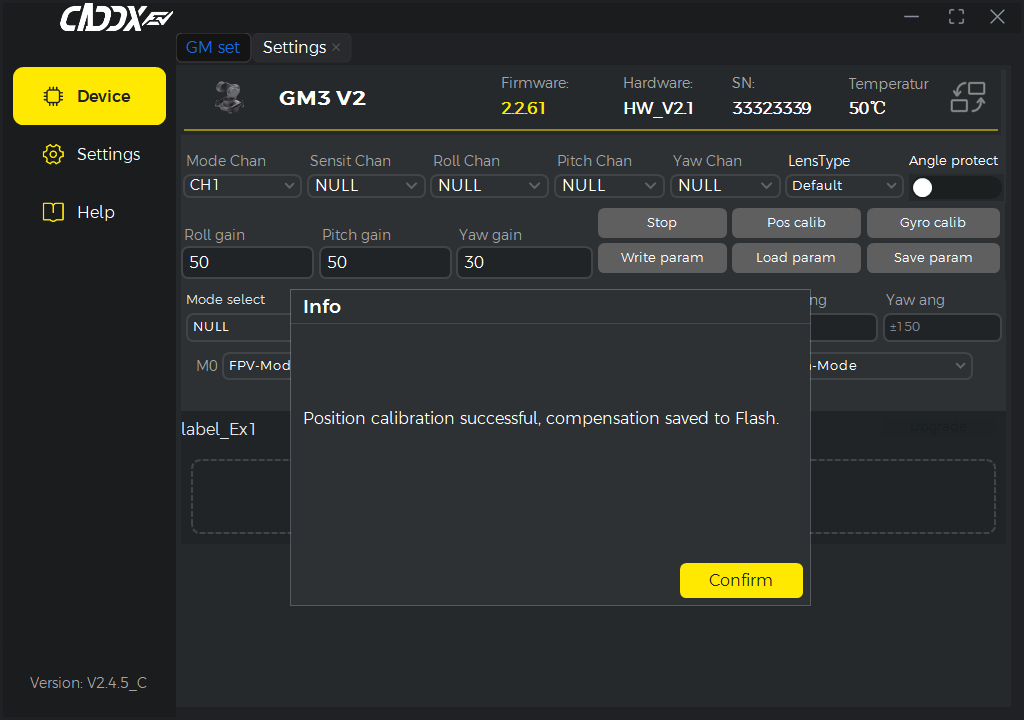
Once PC Tool displays a calibration success message, write the calibration settings to the device to complete the process. - Make sure the gimbal is currently in FPV Mode. Calibration will not succeed if the gimbal is stopped or operating in any other mode.
¶ Roll Axis Misalignment
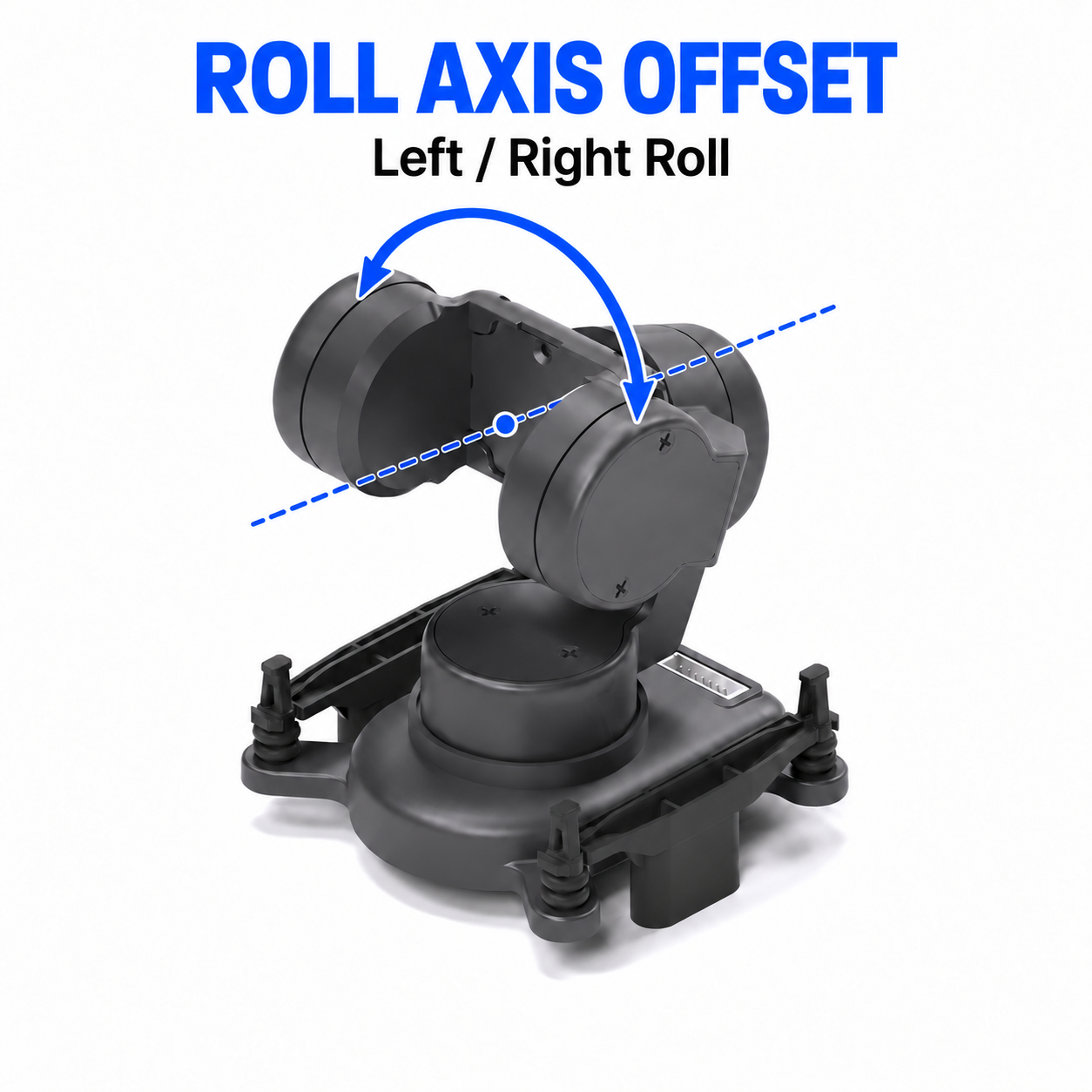
- The roll axis controls the gimbal’s side-to-side rotation. A roll offset causes one side to sit higher than the other.
¶ Solution
- Update the gimbal firmware to the latest version and use the latest version of CADDX PC Tool.
- After the gimbal has started successfully, connect it to PC Tool and click Position Calibration in the software.
Once PC Tool displays a calibration success message, write the calibration settings to the device to complete the process. - Make sure the gimbal is currently in FPV Mode. Calibration will not succeed if the gimbal is stopped or operating in any other mode.
¶ Notes
Make sure the gimbal is in FPV Mode before calibration. Otherwise, calibration will fail.