- Use High Bitrate Mode when the current image quality does not meet your requirements and a clearer video feed is needed.
- The Avatar HD system uses a transmission bandwidth of 20 MHz by default. When High Bitrate Mode is enabled, the bandwidth is doubled to 40 MHz.
- The transmission bitrate increases from 25 Mbps to 50 Mbps, while the number of available channels is reduced by half.
- A computer
- A microSD card
- A card reader
¶ Step 1: Switch the Radio Standard to FCC
- In the system settings, set Bitrate to High Bitrate.
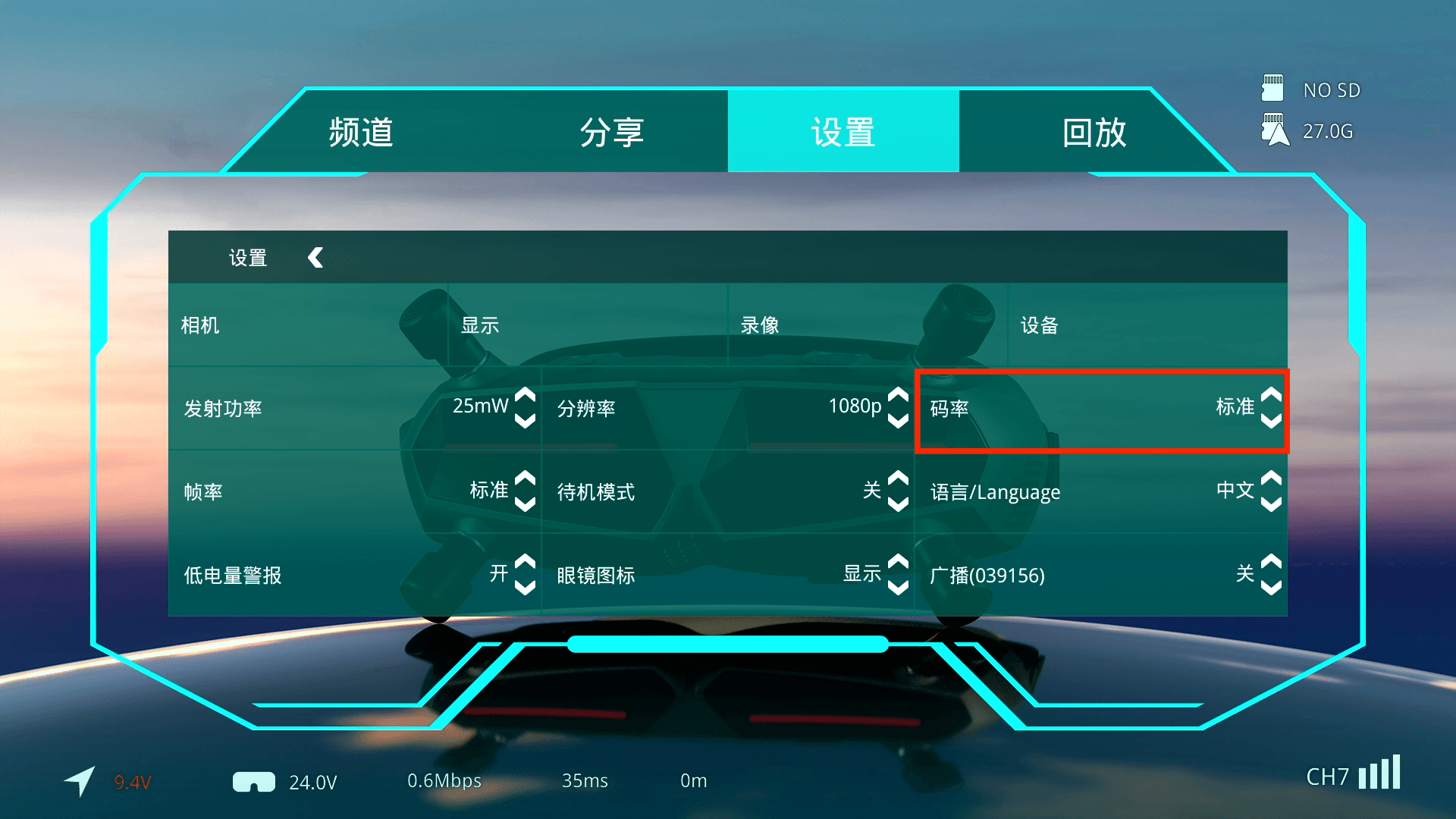
- After enabling High Bitrate Mode for the first time, manually select an operating channel. Otherwise, the system will remain on the public CHP channel.
- The CHP public channel supports only 25 Mbps.
- Before enabling High Bitrate Mode, check whether other pilots nearby are using the same or an adjacent frequency. Enabling this function without coordinating frequencies may interfere with nearby FPV systems and, in serious cases, could result in loss of control or property damage.