- When the gimbal and head tracking are not aligned at the same angle, use this function to quickly recenter the gimbal.
- Head tracking uses gyroscope, accelerometer, magnetometer, and other sensor data from the goggles on the Receiver unit, and sends this data to the gimbal in real time so that the gimbal follows the user’s head movements.
- Over time, small tracking errors may accumulate during use. The Quick Gimbal Recenter shortcut can be used to realign the gimbal with the head tracking position.
- Make sure head tracking can control the gimbal properly and that the function is working normally.
→ Head Tracking Guide
- Quickly press the Back button three times on the Receiver unit. The buzzer will sound continuously, and the gimbal will automatically recenter.
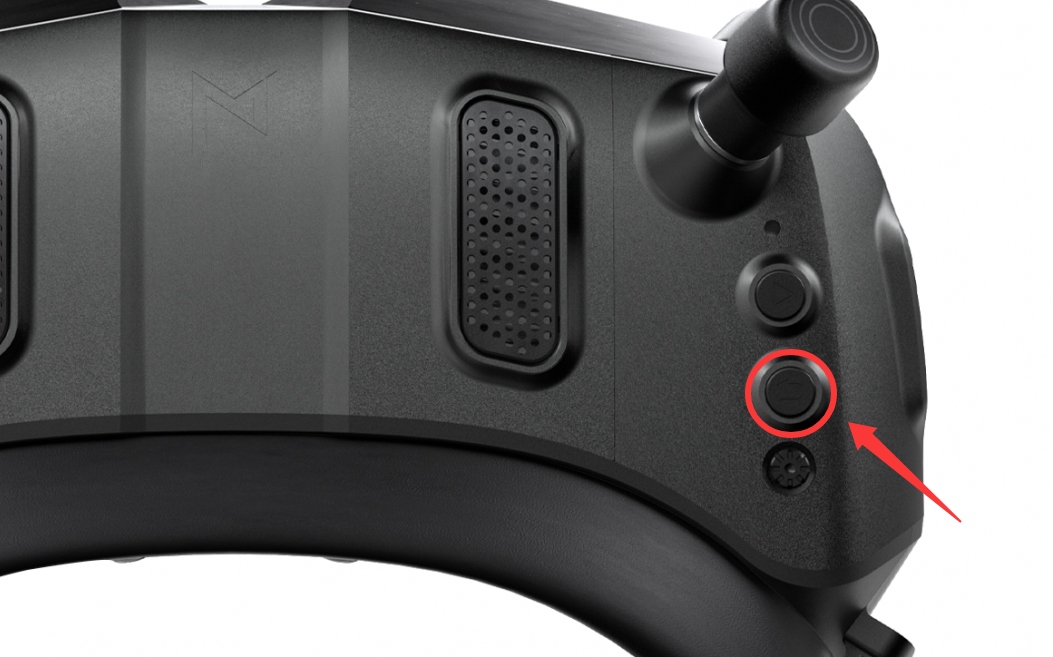
- When recentering, make sure the Receiver unit is held level. If it is not level during recentering, the gimbal will use the current orientation of the Receiver unit as its reference position.
- In simple terms, the gimbal treats the orientation of the Receiver unit at the moment of recentering as the new center position.