¶ When to Use this Guide
- When you need to use head tracking to control a gimbal or other supported devices.
¶ How It Works
- Head tracking uses gyroscope, accelerometer, magnetometer, and other sensor data from the goggles on the Receiver unit. The data is transmitted wirelessly to the Air Unit, which then outputs the control signals to the gimbal.
¶ What You Need
¶ Choose a Receiver Unit That Supports Head Tracking
Ascent Goggles only support the Ascent Series and cannot connect to the Avatar HD System.
¶ Gimbal
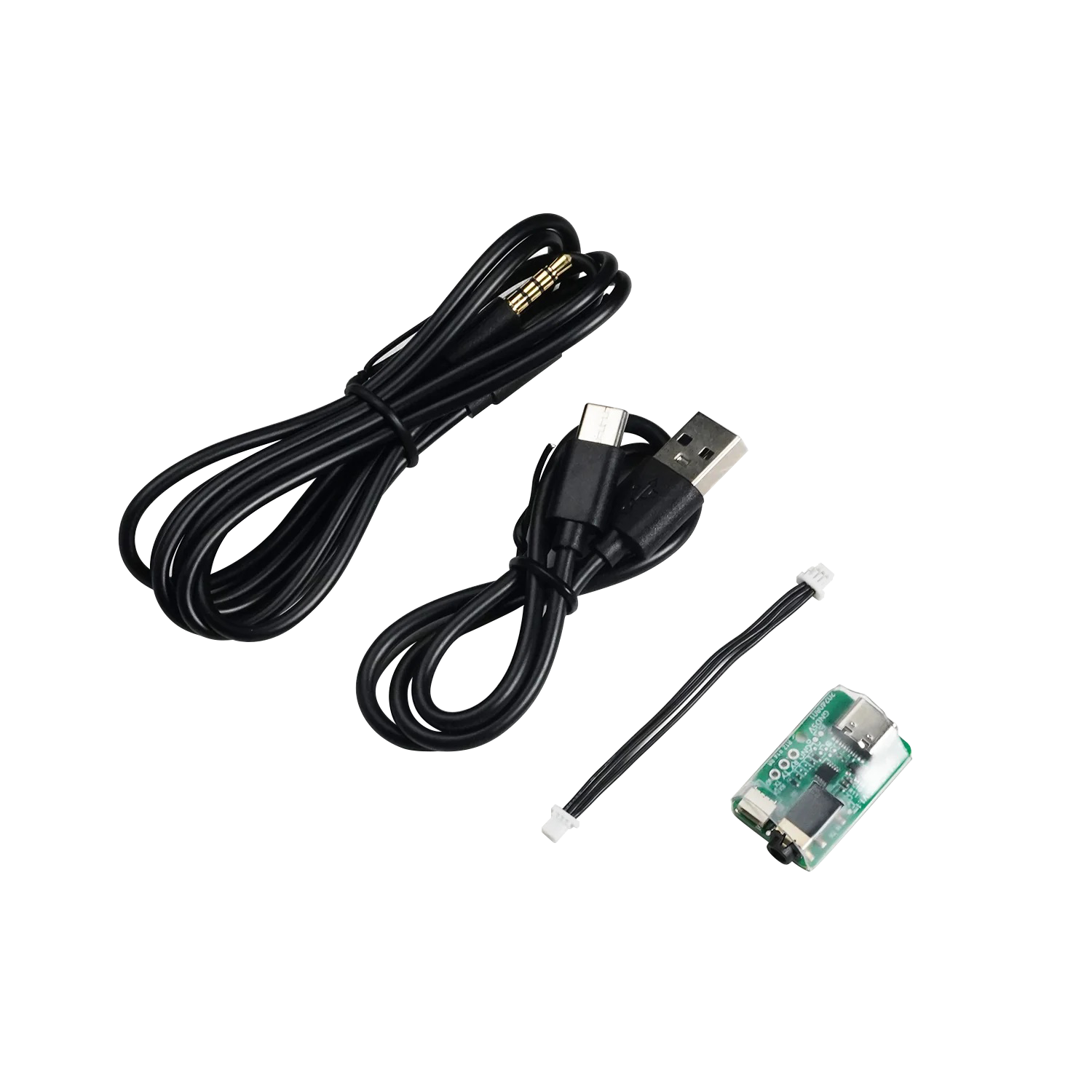
¶ Upgrade Module
- The upgrade module is not included as standard and may need to be purchased separately.
¶ Power Connector
- This depends on your application. XT60 connectors are commonly used for RC aircraft.
¶ Procedure
¶ Step 1: Update the HD System Firmware
- Update both the Receiver unit and Air Unit of the Avatar / Ascent system to the latest firmware version.
How to Upgrade the Avatar Receiver Unit
How to Upgrade the Avatar Air Unit
¶ Step 2: Update the Head Tracking and Gimbal Firmware
- Update both the head tracking module and gimbal to the latest firmware version.
How to Upgrade GM V1 Series Gimbals
How to Upgrade GM V2 Series Gimbals
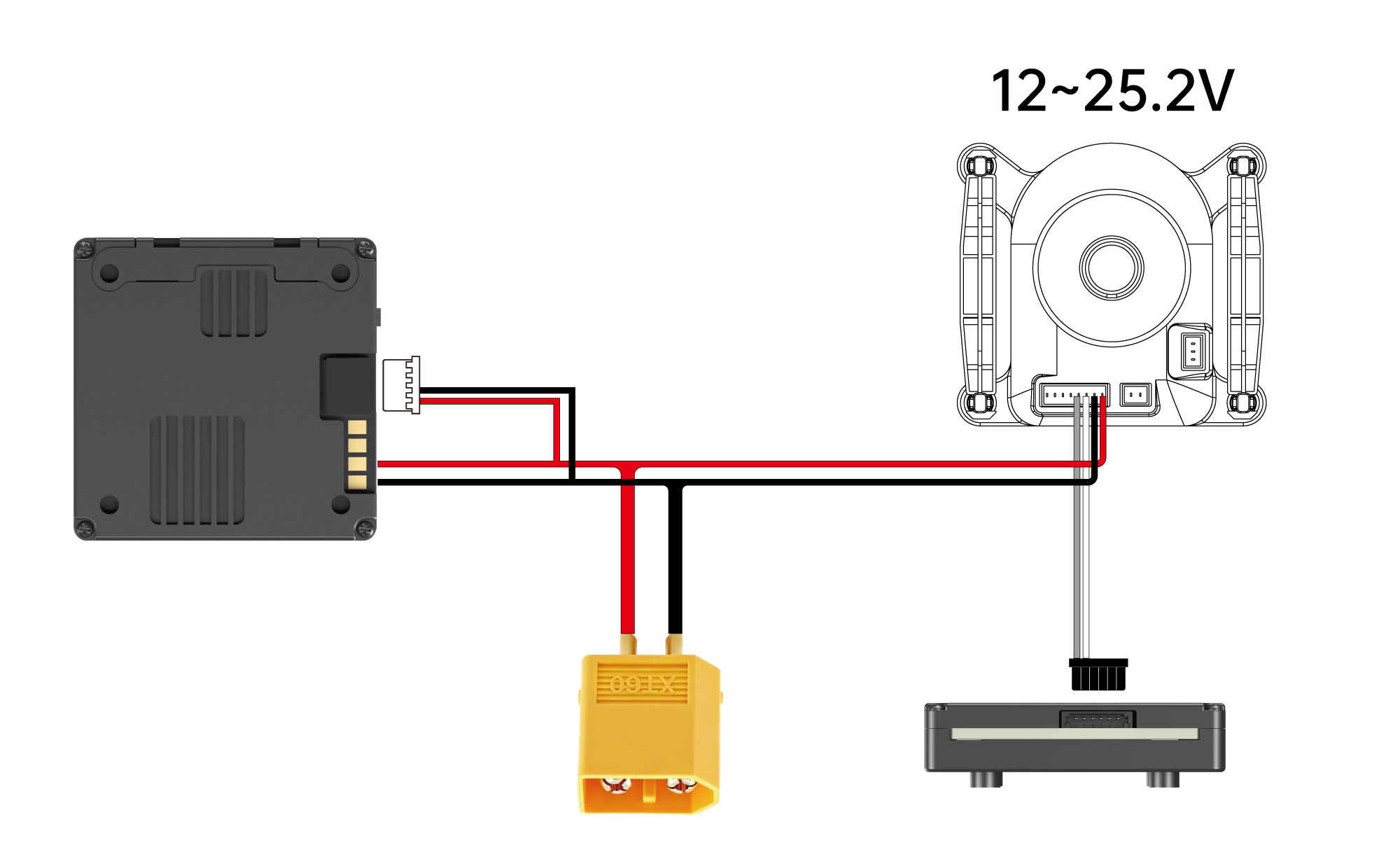
¶ Step 3: Connect the Power and Control Cables
- How to Connect the Gimbal to the Air Unit
- The Avatar V2 Air Unit is used as an example below. For other Air Unit models, refer to the corresponding wiring guide.
¶ Step 4: Configure the Gimbal
¶ GM V1 Series Gimbals
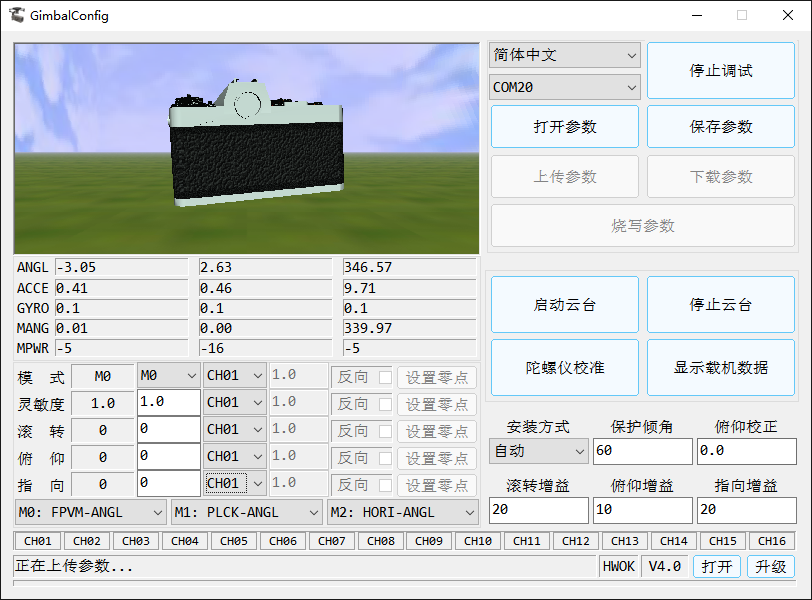
- When using a GM V1 Series gimbal with firmware V3.6, all control channels must be set to CH01 to support the Axis Lock function.
¶ GM V2 Series Gimbals
- No additional configuration is required for GM V2 Series gimbals. Once the cables are connected correctly, the gimbal is ready to use.
¶ Notes
When using a GM V1 Series gimbal, make sure the control channel is set to CH01 and the settings are written to the device. Otherwise, head tracking will not be able to control the gimbal.